• Skip to main content
  • Home
  • Sign Up
  • Blog & Search
  • Privacy Policy
  • Affiliate Disclosure

WORK FROM YOUR LAPTOP

  • Start Here
    • Watch the Video Tutorial
    • FAQs
    • Start Your FREE TRAINING!
  • Blog
  • Meet Eric

Essential Reads

Apr 13 2026

Wealthy Affiliate Review 2026 – Why Their AI Tech Stack Is a Must Have for Content Creators

Wealthy Affiliate Review 2026

If you’ve followed me for a while, then you know that I’m one of the expert trainers inside Wealthy Affiliate. This is the exact training I found on my own back in 2017 when I had no idea how online business worked.

This is not a “done for you” system, and it’s not some “set it and forget it” platform where you don’t have to do any work. But if you want to build a real online business around your actual interests, let me show you why you’ve found what you’re looking for.

TL;DR: Is Wealthy Affiliate Legit?

Wealthy Affiliate is a comprehensive ecosystem designed to help you build, host, and grow an affiliate marketing business. With built-in AI tools for content, design, and SEO, it provides everything a beginner needs to start from scratch..

  • Comprehensive Ecosystem: Provides high-speed hosting, AI writing and design tools, keyword research tools, & step-by-step course lessons in one dashboard.
  • No-Cost Entry: The free starter membership allows you to build a website and start the first 10 lessons without adding any payment information.
  • AI-Powered Updates: Recent updates include Business Hubs, AI Article Designer to speed up content creation, DsgnPop logo designer, and a true stand out feature Image Studio.
  • Community Support: Features a 24/7 live chat and a community of over 2 million members for troubleshooting, asking questions, and more.
  • Long-Term Strategy: This is a marathon, not a sprint; those looking for “push-button” riches or first month revenue will likely be disappointed.
🔍 Have ChatGPT Summarize This Article

What’s In This Article? (Quick Jumps)

  • What is Wealthy Affiliate?
  • How Much Does Wealthy Affiliate Cost?
  • Wealthy Affiliate Features and Training
  • My 9 Years With Wealthy Affiliate
  • Wealthy Affiliate Testimonials
  • Feature Spotlight: Wealthy Affiliate Image Studio (Watch This Video!)
  • Final Thoughts
  • Frequently Asked Questions


What Is Wealthy Affiliate?

Website: wealthyaffliate.com

Wealthy Affiliate is an online training hub and community founded in 2005 by Kyle Loudon and Carson Lim. In my almost 10 years experience with Wealthy Affiliate, what makes it stand out is its straightforward, “non-guru”, “no flash” approach to its training.

WA is built for beginners. I was an absolute beginner when I started, and I appreciated the step by step training for a total newbie. I had never built a website before and knew zero about online business. I made a commitment to follow the training like a robot and I started seeing results.

The approach is a simplified, direct one. Let me break it down for you.

Wealthy Affiliate’s core philosophy is “Niche, Website, Content, Revenue.” 

  • Choose your niche around a passion or interest.
  • Build your niche website in seconds using the Business Hub website builder.
  • Create content with the AI Article Designer and Image Studio to drive targeted traffic to your site
  • Use affiliate programs and monetized traffic to turn those visitors into revenue.

You’re walked step by step through this process via

  • Step by step course lessons and 4 phases of Core Training
  • Weekly expert classes
  • Daily expert training vlogs
  • One-on-one training and mentorship

What you get with Wealthy Affiliate is full freedom of direction to build a real, profitable business based on your own interests. I’ve done a ton of reviews on “guru-led” competitors that charge $1,000+ to have you simply buy and then resell their product. Wealthy Affiliate teaches actual affiliate marketing. You never have to promote Wealthy Affiliate or take part in their affiliate program if it doesn’t fit your niche.


How Much Does Wealthy Affiliate Cost?

Wealthy Affiliate has 3 tiers of membership:

  • Free Starter Membership ($0): The purpose of the free starter account is to test drive the platform to see if it’s a good fit. It includes 1 website, Phase I of the Core Training (see below in “Features” section), 1500 AI credits and limited use of Business Hubs.
  • Premium Plus+ ($49 first month, $99/month thereafter, or $588/year): This is the “Pro” tier you upgrade to from your free starter account. It includes:
    • 100% of all the training and tools available inside Wealthy Affiliate
    • 10 websites with included hosting, 10 email accounts per site, Included SSL, 24/7 Site Support
    • 1 free .com domain
    • 60k AI credits per month for creating content with the AI Article Designer and creating images/graphics with DsgnPop and Image Studio
    • Bonus 100k AI Credits for upgrading to yearly membership
  • Premium ($49/month, $497/year): While you can’t upgrade directly to this Premium tier from the free starter membership, this tier is available if you want to downgrade from Premium Plus. It includes 3 websites and 10k monthly credits.

Additional costs:

  • Domain Registration: While your first .com is included with Premium Plus+ membership, additional domains cost anywhere from $20-$25/year

Wealthy Affiliate Features and Training

This is where I feel Wealthy Affiliate has made major strides over the last couple of years. When I got started with Wealthy Affiliate back in 2017, we didn’t have ANY of this.

This is what I call their “Tech Stack”. In my opinion, every content creator should get their hands on Wealthy Affiliate’s AI image creation tool called Image Studio. It’s worth the price of admission all by itself.

The “Tech Stack”

  • Business Hubs: This is your main “hub” for working on your site. It manages your niche research, website and branding, keyword research, affiliate programs, and content writing. You can create up to 10 business hubs.
  • AI Article Designer: This is your main writing tool to help you outline and draft posts. You can choose to write everything yourself, but using AI for the heavy lifting is a massive benefit in my opinion. Pro tip: Always make AI written content your own by adding your voice.
  • DsgnPop: Great AI tool for creating branded, professional logos.
  • Image Studio: I use Image Studio for everything. Click the link to my full YouTube video walkthrough in the Image Studio section further below to see it in action.
  • Jaaxy Keyword Tool: Helps you find “low-hanging fruit” keywords with low competition.
  • SiteRubix Builder: Built into Business Hubs, this will build your website in seconds.

Wealthy Affiliate’s Core Training

This is where you learn the basics and make your way to intermediate level principles of affiliate marketing and online business. Even if you have some experience, don’t sleep on these course lessons.

What I took away personally from these course lessons is the focus on delivering value to your audience if you want to rank and build traffic.

  • Phase I: Getting Started
    • Lesson 1: Welcome to Wealthy Affiliate
    • Lesson 2: How the Make Money Online Process works
    • Lesson 3: Setting Money Goals & Accessing Live Chat
    • Lesson 4: Creating a Hub for your Business (and Choosing Your Niche)
    • Lesson 5: Crafting Your First Niche Post Using Our Designer
    • Lesson 6: Choosing a Brand for Your Business
  • Phase II: Your Brand and Content
    • Lesson 1: Getting Your Branded Domain (and Moving Your Website To It)
    • Lesson 2: Creating a Professional Logo
    • Lesson 3: Keyword Research with Jaaxy
    • Lesson 4: Creating Helpful Content that Ranks
    • Lesson 5: Creating Images with AI
    • Lesson 6: Optimizing Your Design and User Experience
  • Phase III: Growth and Momentum
    • Lesson 1: Getting Your Website Set Up for SEO
    • Lesson 2: The Rules of SEO: Making Search Engines Love Your Site
    • Lesson 3: Harnessing Website Speed for Better User Engagement
    • Lesson 4: Integrating AI and ChatGPT In Your Business
    • Lesson 5: Perfecting On-Page SEO Elements
  • Phase IV: Making Money and Scaling
    • Lesson 1: Introduction to Affiliate Marketing
    • Lesson 2: Utilizing Affiliate Links and Disclaimers
    • Lesson 3: Introduction to the World of Social Media
    • Lesson 4: Setting Up Business Profiles on Social Media
    • Lesson 5: Generating Buzz with Shareable Content
    • Lesson 6: Understanding the Affiliate Marketing Financials
    • Lesson 7: Scaling and Building Out Your Thriving Business
    • Lesson 8: Leveraging Wealthy Affiliate’s Training Models

When you’ve mastered these 4 phases of training, you will have a business in your lap that delivers value, is profitable, and is finding its target audience. Period.

Now, to reach the expert level affiliate marketer, you have to learn from the experts who have walked the path before you. This is where we get into the expert classes. In my expert opinion, this is the secret sauce to Wealthy Affiliate.

Wealthy Affiliate’s Weekly Expert Classes
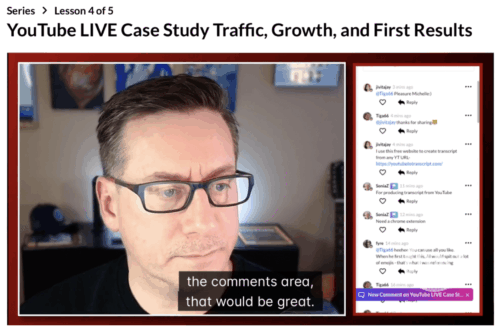
Wealthy Affiliate Review Expert Classes Jay Neill

These are weekly live hour-long classes taught by Wealthy Affiliate’s head trainer Jay Neill every Friday. They deep-dive into all aspects of affiliate marketing, from design and aesthetics, to Youtube, email marketing, social media specific marketing, Pay-Per-Click marketing, etc.

Jay is an absolute master affiliate marketer. Every year, Wealthy Affiliate sends its top earners to an all-expenses-paid, week-long Super Affiliate Conference in Las Vegas. I met him back in 2018 when I qualified for it after my first year. He is my friend and I trust 100% of the training and advice he teaches.


Jay and Eric WA Super Affiliate Vegas
Eric Cantu Headshot

If You’re Serious About Online Business

I coach my WA students personally through Jay’s GENIUS “0-10K Traffic Blueprint” training. It’s a 90 day, focused, algorithmic training that forces consistency and massive growth. Niche by niche, site by site, it delivers every time. Let’s do this!

Get Started Today!

Shortly after any live class has aired, the on-demand replay is available. I have learned so much from these classes that I still put in practice today. They are invaluable.

As an expert trainer myself, I’ve hosted countless expert class series on a wide variety of topics from YouTube growth, SEO, social media marketing, AI tools, and more.

Wealthy Affiliate’s Daily Expert Vlogs
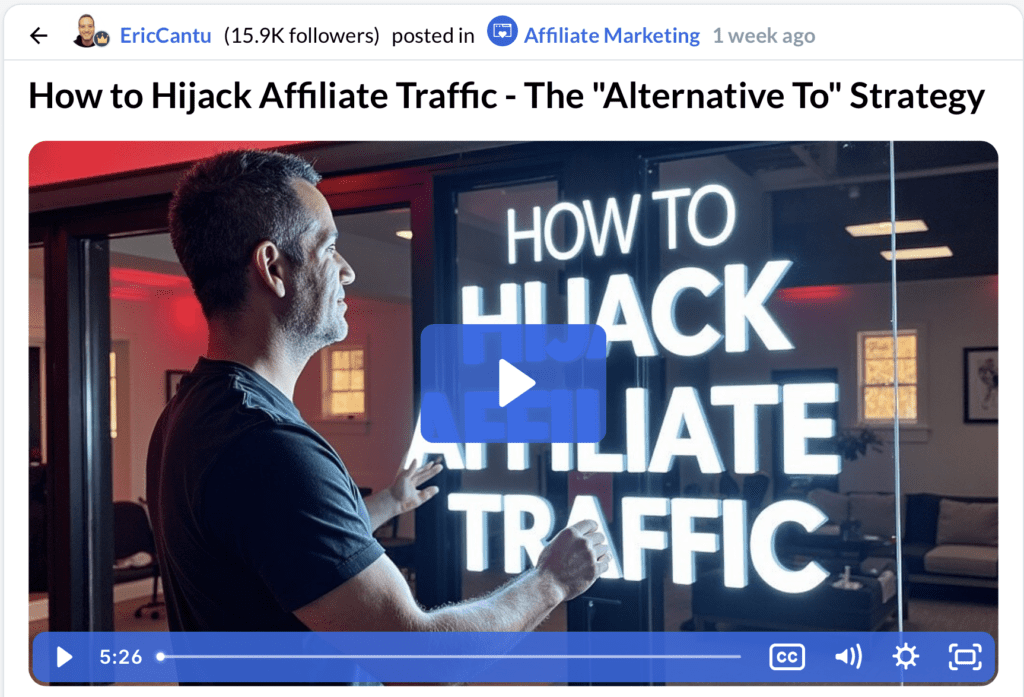
Wealthy Affiliate Review Expert Vlogs Eric Cantu

These are bite-sized, short-form daily vlogs by experienced, expert members of the WA community. These 5-10 minute vlogs touch on training tips across all aspects of affiliate marketing. I post expert training vlogs almost daily.

Wealthy Affiliate Communities

WA communities started in 2025 and are like mini hubs so you don’t have to go looking all over for specifics about a certain element of affiliate marketing. WA communities currently include:

  • WordPress & Web Hosting
  • Artificial Intelligence
  • Social Media Marketing
  • YouTube
  • User Generated Content (UGC)
  • Search Engine Optimization
  • Pay Per Click Marketing (PPC)
  • Affiliate Marketing
  • Email Marketing
  • Facebook
  • Instagram
  • Pinterest

So, if you want to see training, questions, and posts about YouTube, you jump into the YouTube community. Want to learn more about PPC? Jump into the PPC community.

Wealthy Affiliate Activity Commissions
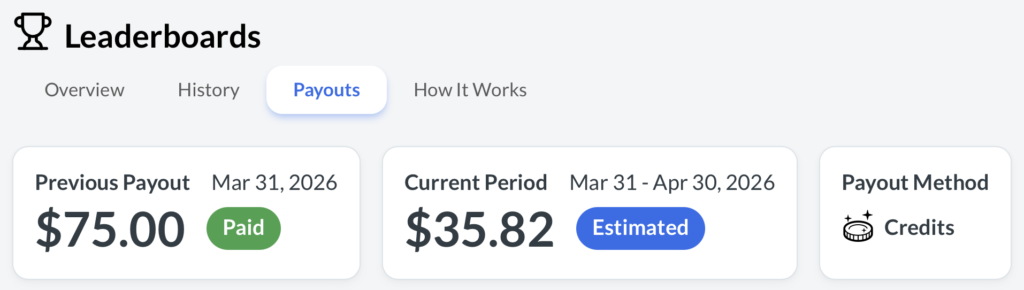
Wealthy Affiliate Activity Commissions

Starting last year in 2025, activity commissions are paid out on the first of the month based on your activity within the platform. They’re deposited either into your PayPal account or your WA credits account.

I consistently earn enough through activity commissions alone to pay for WA’s membership.


My 9 Years With Wealthy Affiliate

I’ve been with Wealthy Affiliate since 2017. As I said at the top, I had never built a website before, didn’t know how affiliate marketing worked, and I didn’t understand why bloggers blogged.

Now I feel like an expert at it.

The key metric to measure with any training platform is how much you learn and how quickly you learn it. This training just clicked. I got slightly addicted to it at the start and was spending every waking moment in the lessons for the first couple of weeks.

I think what helped me personally is that I didn’t focus on making money at the start. I knew I had to learn first. I gave myself 6 months to work at this like a robot to see how much I could pick up. My website looked super basic, my YouTube videos were cringe. But I was learning.

6 weeks in I had my first commission. Some random person from across the world had seen my content and clicked through on one of my affiliate links. I remember sitting at my kitchen counter and saying “It’s working” over and over again.

I had a huge month at my 12 month mark and it continued to grow. I grew my YouTube channel, exploded an Instagram following where I started sharing my solo travels, and now I’m happy to say that I’ve helped people from all over the world earn their first commissions from their own online business.

But my success means nothing to you though if this training isn’t a good fit for you. And you’re the only one who can decide that. I highly recommend creating a free starter account through any of my links on this page or on this website and giving it a try. You’ll get me as your support coach and I’ll be happy to help you reach your goals just like I have for so many people now from all over this world.

Hope to see you on the inside!

Eric Cantu Headshot

Hey, I’ll Be Your Support Coach!

Sign up for your FREE WA starter account and I’ll guide you one-on-one with daily messaging and support. You have an expert in your corner, and I can’t wait to see what we build together!

Get Started Now!

Wealthy Affiliate Testimonials

Don’t just take my word for it though. In all my reviews I scour the online forums like Reddit, Quora, YouTube, TrustPilot, and more to give you both positive and negative reviews left by real people online.

✅ Wealthy Affiliate Positive Reviews

  • “The hosting is top-tier; my site loads in under a second.” – Trustpilot
  • “Step-by-step videos make it impossible to get lost as a beginner.” – Quora
  • “The community is active 24/7; I never feel alone.” – Reddit
  • “I’m honestly PROUD of my website and that is something this mom of 4 never dreamed I’d say!.” – Reddit
  • “The AI tools have saved me hours on research and writing.” – G2
  • “No credit card needed to start is a huge plus for skeptics.” – YouTube Review
  • “Weekly live webinars are actually fun!” – Trustpilot
  • “The training teaches you how to build a real business, not a gimmick.” – Quora
  • “I’ve been a member for over a decade and the platform keeps evolving.” – G2

❌ Wealthy Affiliate Complaints

  • “The $99/month Premium Plus tier is too expensive for most beginners.” – Reddit
  • “Some of the older training videos feel a bit dated despite updates.” – Quora
  • “The community can be overwhelming with too many notifications.” – Trustpilot
  • “It takes a long time to see money; it’s definitely not for those in a rush.” – Reddit
  • “There is a lack of advanced training on paid ads (PPC).” – G2
  • “The free version is very limited; you have to upgrade to do anything real.” – YouTube Comment
  • “Site Support used to get back to you in minutes, now it’s usually 24 hours.” – Reddit

Feature Spotlight: Wealthy Affiliate Image Studio (Watch This Video!)

Wealthy Affiliate’s Image Studio is one of those things you just need to get your hands on and see to believe. From YouTube thumbnails to infographics to comparison tables to featured images for product reviews, this things is off the charts good.
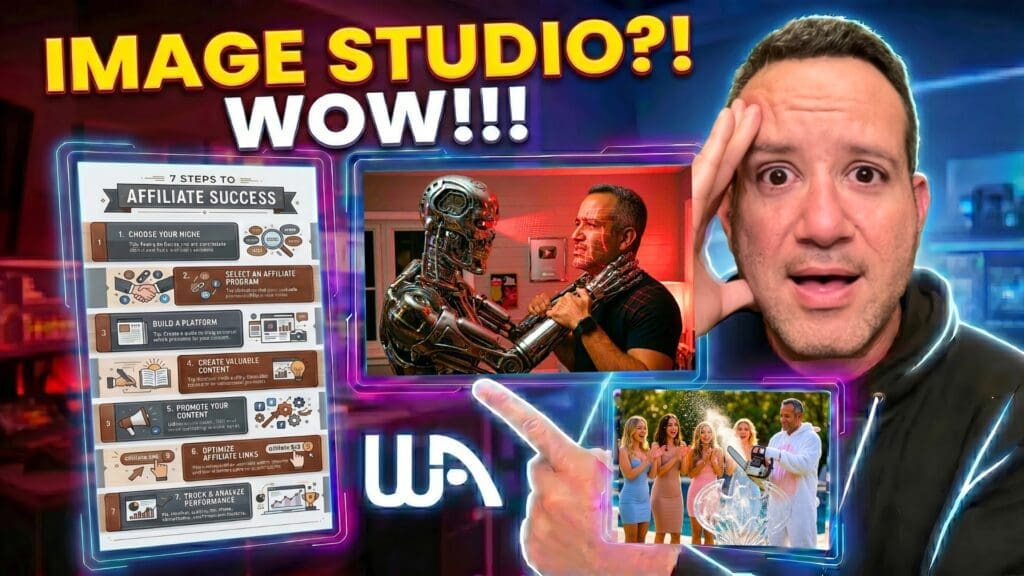

WA Image Studio Review Thumb

Click here or the image above to watch my full Wealthy Affiliate Image Studio walkthrough video on YouTube. It’s well worth it and I promise your jaw is going to drop.

I. Love. Image. Studio.


Eric Cantu Headshot

This is How I Built Full-Time Income!

With training that has a real focus on you learning and me in your corner you can’t lose. Take the FREE test drive to see if this is a good fit. I look forward to helping you every step of the way!

Get Started FREE!

Final Thoughts

Wealthy Affiliate leveled up its game with its AI tech stack. With a focus on learning, a global community, and daily trainings with a straightforward focus to deliver value to your audience, you have a platform that can turn your passion into real monthly revenue.

What do you think? What questions do you have for me? Have you tried other platforms and been sold snake oil? Is there a question about a feature you don’t quite understand. Drop your comments down below! I look forward to hearing from you!

The truth of the matter is that I’ve made life-long friends from this platform. I found it as a newbie and now I’m an expert trainer inside it. My success means nothing to you if it’s not a good fit for you, so let’s give this a real effort to see what we can build together!

If you’re ready, let’s get started! I look forward to seeing you on the inside!


Kyle, Eric, Carson Super Affiliate Conference Vegas

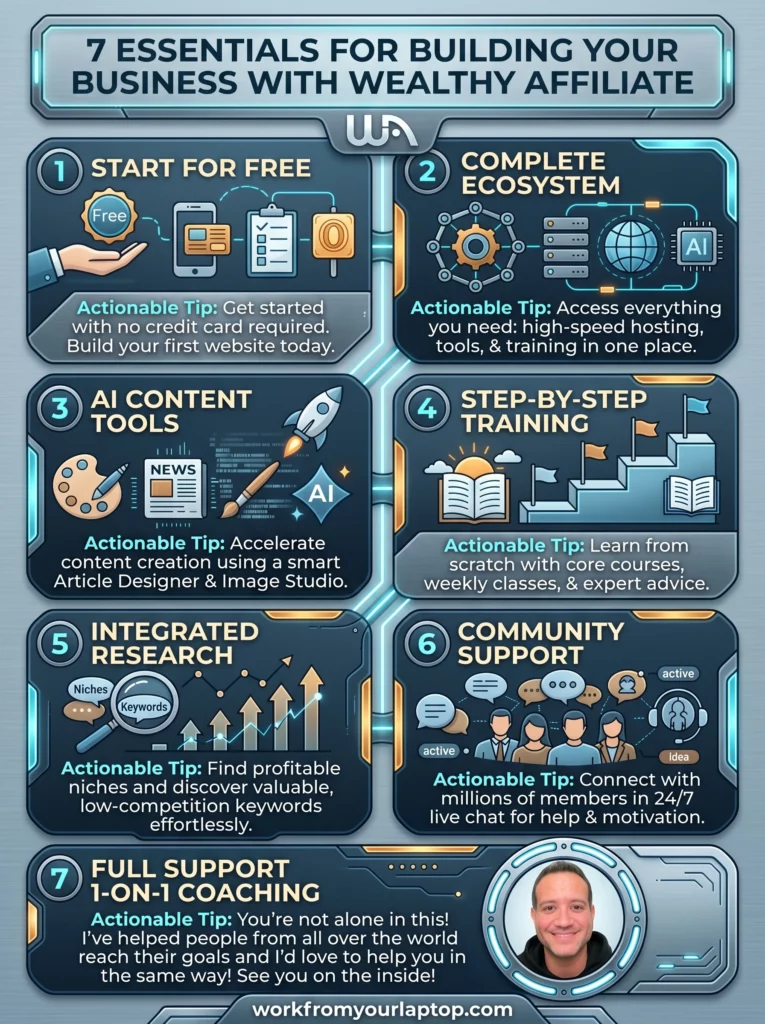
Wealthy Affiliate Review 2026 Infographic

Frequently Asked Questions

Is Wealthy Affiliate good for beginners?
Yes, it is specifically designed for beginners. The training modules start with the absolute basics, like how to choose a profitable niche and how to install a WordPress theme.

Can you really make money with Wealthy Affiliate?
Yes, but it is not a “money-making machine.” It is a training platform. You make money by applying the SEO and affiliate marketing techniques they teach to your own niche website.

How long does it take to see results?
Most users start seeing organic traffic within 3–6 months and consistent revenue within 6–12 months, provided they publish content regularly and follow the keyword research guidelines.
Written by Eric Cantu · Categorized: Featured, Essential Reads, Reviews & Comparisons

Apr 11 2026

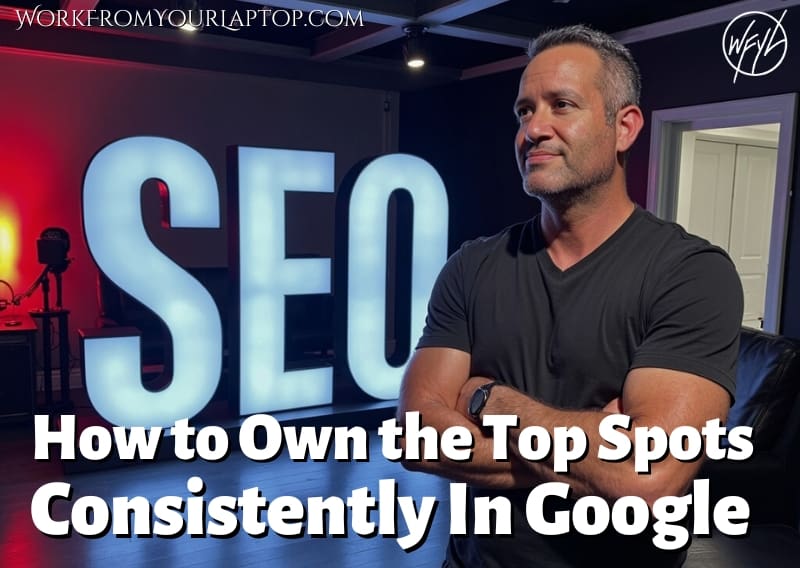
SEO for Bloggers: How To Get to the Top of Search Rankings Consistently

How To Get to the Top of Search Rankings Consistently

So you just spent your entire weekend (or week) perfecting you latest post. You smash that “publish” button and then… crickets.. How frustrating is that?! All that hard work and you’re buried on page ten of the search results? Not on my watch. Let’s pull back the curtain on how search actually works so you can stop guessing and start ranking.


TL;DR: How Can I Rank My Blog Posts at the Top of Google Consistently?

To rank consistently, align your content with user intent, build topical authority through topic clusters, and optimize for both human readers and AI-driven search engines. Focus on providing unique, experience-based insights that deliver value.

Golden Rules of Ranking:

  • Target Search Intent: Write to solve the user’s specific problem, not just to rank for a keyword.
  • Prioritize Topical Authority: Build clusters of related articles to prove your expertise to search algorithms.
  • Optimize for AI & Humans: Use clear headings, direct answers, and structured lists for both search crawlers and readers.
  • E-E-A-T is Everything: Infuse your content with personal experience, credentials, and transparent, factual accuracy.
🔍 Have ChatGPT Summarize This Article

What’s In This Article? (Quick Jumps)

  • Why SEO Still Matters Right Now
  • My Experience With Ever-Changing SEO
  • Step-by-Step Breakdown: The Core Strategy
  • Common Pitfalls & What To Avoid
  • Your Next Step
  • Final Thoughts
  • Frequently Asked Questions

Why SEO Still Matters Right Now

SEO has evolved from simple keyword optimization into a holistic system of signals. Google’s algorithms now evaluate your site’s overall quality and trustworthiness. Ignoring SEO means your best content remains invisible, while mastering it ensures a steady stream of targeted traffic that compounds over time.

I’ve heard plenty of bloggers argue that SEO is dead. In my opinion, this is a really, really bad take. I believe now more than ever it’s hyper essential for driving organic traffic and building your brand.

One of the more common misconceptions about SEO is that it’s a one-time effort. For SEO to even begin to work there needs to be consistent effort and a long-term strategy in place. With the rise of new technologies SEO is as important as ever.

We’re living in a time where AI-powered search engines can summarize the internet in seconds. So don’t kid yourself into thinking you’re only competing with other bloggers. You are 100% competing with AI for the “featured” slot in AI overviews.

Let me make this crystal clear from personal experience: SEO is not dead. It’s simply time to adapt. Results don’t come overnight. We’re playing the long game here.


My Personal Experience with Ever-Changing SEO

Just like in the fire department, you have to apply a logical, step-by-step system that you’re consistent with to get the results you’re looking for with SEO.

Back in 2017 you could arrange the words in your title in a certain way and suddenly shoot to the top of the SERPS. That’s not even close to a thing now.

The focus now is entirely on overall intent. When I write, I prioritize what I feel is my reader’s actual goal. I focus on the pain point they’re searching for answers to. I write so that the article is the most direct and accurate answer they can find online.

I want my article to be talking to the reader directly. That’s how you snag the “Rank Zero” position: by being the best source for the information that the reader has “a-ha” moments for.

You can’t rely on guessing or hacks or shortcuts. There’s no such thing. I try to build pages that are simultaneously easy to follow but also structured and easy for AI engines to scan and extract from. You can’t focus on one and not the other.

When you make your focus being the most reliable, accurate source for your topic, your results start being way more consistent. And don’t worry, I’m about to lay down the straightforward approach I use so you can to.

Let’s break this down.

Related article: Try broadening your search traffic strategy and using a visual search engine like Pinterest to drive targeted traffic back to your blog!


Step-by-Step Breakdown: The Core Strategy

A consistent ranking strategy requires a shift from keyword volume to topical depth. Start by selecting one primary niche, identifying the specific questions your target audience asks, and creating comprehensive, interconnected content that satisfies their intent better than anything else currently available in search results.

Step 1: The Niche “Deep Dive”

You don’t have to rank for every single aspect of every single pain point your audience has. Choose one specific problem you solve for a specific person. Choose something you have actual experience with. Remember, you’ve picked your niche based on passion, right? Use tools like Google Search Console or just do like I do and dive into Google itself to find low-competition, long-tail questions.

Pro Tip: Most people target broad terms. Instead, target specific long-tail questions that address the precise “how-to” questions your audience is asking.

Step 2: Content That Answers Better

When you write, look at the top 3 results for your target topic. Ask yourself: “What’s missing here?” If they have a text-heavy guide, add a comparison table, a checklist, or a personal case study. (Image Studio by Wealthy Affiliate is spectacular for this.) Your goal is to provide a “one-stop shop” answer so the reader doesn’t even think about going anywhere else.

It’s a complete myth that your audience is only interested in the “quick” answer. Understand this: Google and YouTube have a stranglehold on search. Yes, AI is here and people will go to ChatGPT or Gemini for quick answers, but then they go right into Google and YouTube to find the “whole” answer.

Pro Tip: AI is your friend. Use it to brainstorm structures, but always rewrite the content in your own voice. Google’s algorithm is incredibly good at identifying generic, AI-written filler. Be honest, when you read this article, can’t you hear me talking? Do the same for yours.

Related article: Think that PPC kills SEO? Check out my full guide on SEO vs PPC and see why PPC has it’s place, but you can never quit SEO!

Step 3: Link Your Content Like a Web

Search engines want your site to be this interlocking, connected entity. If you write an article, make sure it links to at least two other relevant posts on your site, and have at least two existing posts link back to it. This creates a “cluster” that signals to Google you are an expert on that topic. It’s also great for the user experience of your reader.

Pro Tip: Do your best to avoid “orphan pages.” Never publish an article without at least one internal link pointing to it from your high-traffic pages. If it doesn’t connect to your other content, then it’s probably not a good fit for your site.


Common Pitfalls & What to Avoid

Beginners often fail by chasing “vanity metrics” or outdated tactics. To succeed, prioritize E-E-A-T signals: Experience, Expertise, Authoritativeness, and Trustworthiness. Do this by demonstrating real-world knowledge and maintaining technical hygiene on your site.

  1. Keyword Cannibalization: Stop targeting the same intent on multiple pages. Workaround: Audit your site and consolidate those pages into one “pillar” page.
  2. Ignoring Mobile Users: Remember that over 50% of your traffic is on mobile. Workaround: Use a mobile-responsive theme and test your site layout on your phone regularly.
  3. Thin Content: Stop posting less than 300 word articles that offer no value. Workaround: Aim for comprehensive guides that solve the reader’s intent completely.
  4. Buying Backlinks: Never do this. This is a quick way to get penalized and dropped to the bottom of Google. Workaround: Earn real backlinks by creating genuinely helpful resources, original research, or data-backed insights.
  5. Neglecting Site Speed: A slow site kills your rankings. Workaround: Use a fast host, compress your images before uploading, and don’t stuff your content with noise or overdo plugins.
  6. Obsessing over optimization: Before you dive into optimizing, make sure you’re not falling into the analytics obsession trap first.
Work From Your Laptop YouTube Subscribe

Your Next Step

Stop thinking about your blog as a collection of random posts and start seeing it as a library of assets. Whether you’re just starting or you’ve been grinding away for years, the work doesn’t stop when you hit “publish.”

To actually rank, you need to apply what we’ve covered to your existing practices:

  • For the New Blogger: Stop hunting for “perfect” keywords. Pick one core problem you’re going to solve, outline the five most common questions your audience asks about it, and write the answer to each one. Focus on getting these first five pieces live and linked together. This is your foundation for building early topical authority.
  • For the Seasoned Veteran: Stop churning out new content just to stay “active.” Audit your existing articles and find your top-performing pieces (AI is great for this kind of stuff). Now look for “intent gaps” and places where you haven’t fully answered the user’s follow-up questions. Update these posts and snag that Rank Zero position away from the competition who hasn’t updated their content in years.

Take a look at your Google Search Console data to see what queries you’re already getting impressions for, even if you aren’t ranking well. That’s your low-hanging fruit. Take the highest-potential post, strip out the noise, sharpen the answer, and create a cluster around it.

Getting to the top of the search results page is the first step. Traffic to your content (and more importantly to your affiliate links) is how you get to full time revenue!

Need some tips on the visuals of your blog to make it easy on the eyes while still delivering value? Check out my guide on building a visually perfect blog post and get that leg up on the competition.


Final Thoughts

SEO isn’t a “get rich quick” scheme; it’s a long-term asset-building strategy. Do the work today by answering one user question perfectly, and you’ll reap the traffic rewards for years to come.

What do you think?

  • What’s the biggest roadblock you face when trying to rank your blog posts?
  • Have you ever tried to update an old post with better information, and did you see a traffic shift?

What other questions do you have for me? I absolutely love hearing your perspective so don’t be shy! Drop your comments and questions down below!

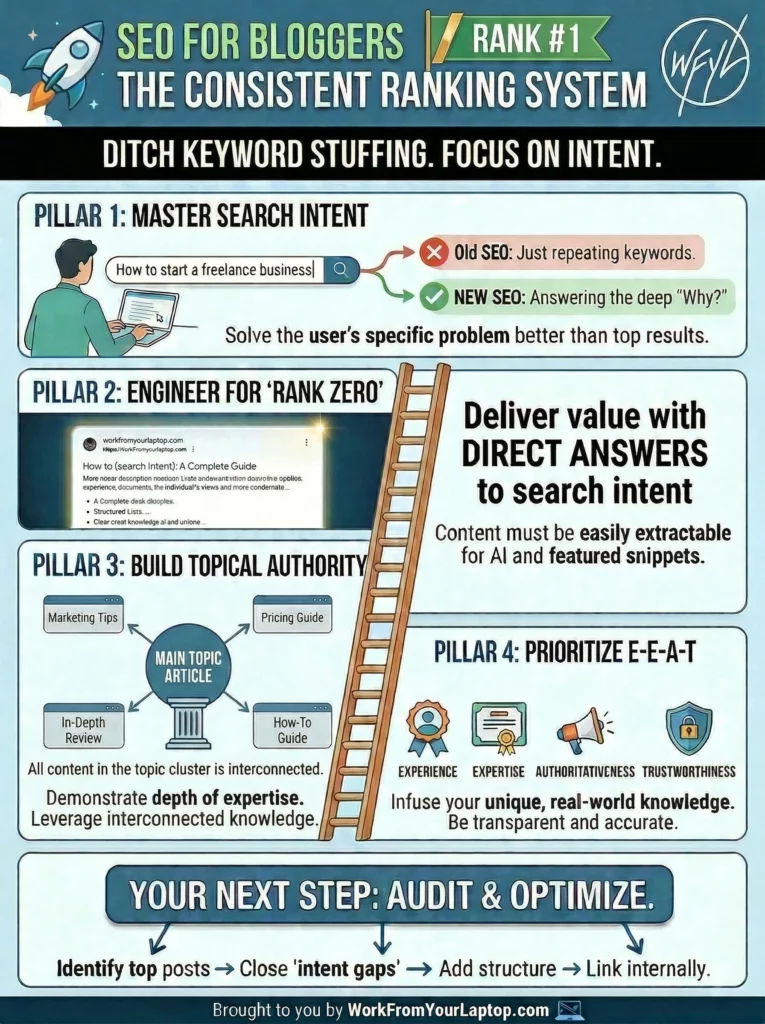
How To Get to the Top of Search Rankings Consistently infographic

Trying to make money online and still not seeing results? Create your FREE STARTER ACCOUNT with the same straightforward training I’ve used to create full time revenue online. No matter your experience, this step by step training delivers! Click here and get started NOW!


Frequently Asked Questions

Does AI-generated content hurt my SEO rankings?
Not necessarily. Google focuses on the “helpfulness” of content, not the tool used to write it. If your content provides unique value, experience, and accuracy, it will perform well. If it’s generic, repetitive, or inaccurate, it will fail regardless of whether a human or AI wrote it.

How often should I update my old blog posts?
You should review and update your content whenever the information becomes stale, or at least every 6–12 months. Updating old posts with fresh data, new insights, and broken link fixes is often faster than writing new content and signals to Google that your site remains current.

What is the fastest way to build topical authority?
Focus on “content clusters.” Choose a core pillar topic and create a comprehensive main page for it. Then, write 5–10 supporting articles that answer specific sub-questions and link them all back to the pillar page. This structure tells search engines exactly what your site specializes in.


Want More Search Engine Optimization Strategies?

SEO is the key to building traffic! Don’t stop your momentum now! Dive into these guides and turn that traffic into revenue!

  • How To Get to the Top of Search Rankings Consistently
    SEO for Bloggers: How To Get to the Top of Search Rankings Consistently
  • What is Generative Engine Optimization GEO
    Generative Engine Optimization (GEO): How to Optimize for AI‑Driven Search
  • SEO vs PPC which is more effective in 2024
    SEO vs PPC: Which is More Effective in 2024? Numbers Don’t Lie!
  • How the 2024 HCU Update has Affected SEO
    How the 2024 Google HCU Has Impacted SEO – Strategies for Recovery
  • Why is my bounce rate over 100
    Why is my bounce rate over 100?

Written by Eric Cantu · Categorized: Essential Reads, SEO (Search Engine Optimization)

Nov 15 2025

How to Choose Your Niche as a Micro Influencer

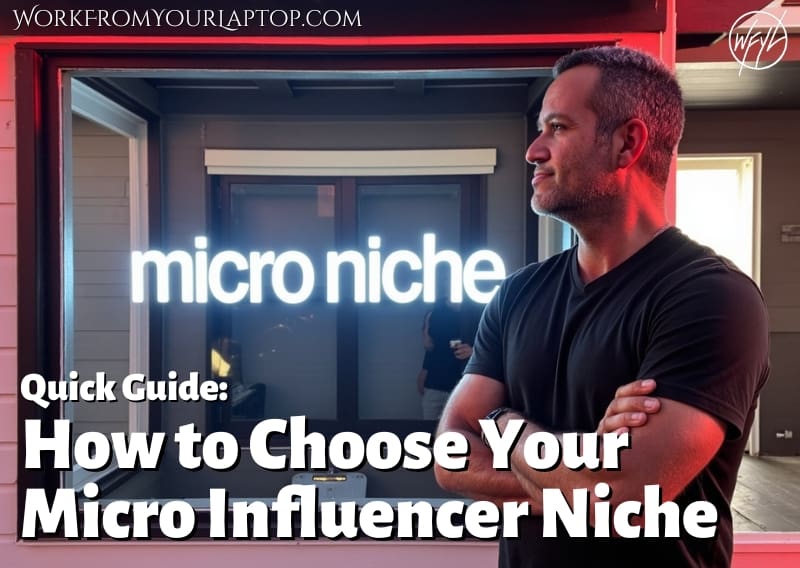
how to choose your niche as a micro influencer

Finding your niche as a micro-influencer doesn’t have to be complicated. It’s not about finding some untapped goldmine, it’s actually way easier than you think when you simplify your approach. Let’s break it down in an easy, straightforward way so you can find what fits you best and start finding that traffic your content deserves.

TL;DR: How Do You Pick your Niche as a Micro-Influencer?

Choose a topic that matches what you love, what you know, and what people care about. The best niche feels natural, fun, and has some space to grow and scale.

  • Know yourself: List your hobbies, interests, and what you enjoy sharing.
  • Understand your audience: Find the pain points they need help with.
  • Check interest: Make sure people search for or talk about your topic.
  • Try things out: Post a few topics and see what clicks.
  • Stay real: Pick something you’ll enjoy long-term.
🔍 Have ChatGPT Summarize This Article

What’s In This Article? (Quick Jumps)

  • Why Picking a Niche Matters
  • Step 1: Learn About Yourself
  • Step 2: Learn About Your Audience
  • Step 3: Check What’s Popular
  • Step 4: Test a Few Ideas
  • Step 5: Keep It Flexible
  • Final Thoughts
  • Frequently Asked Questions

Why Picking a Niche Matters

I don’t want to overstate this, but your niche matters. And it’s not about finding that untapped goldmine you’re thinking of. Think of your niche as your main identity as a micro-influencer. It tells people what your page is all about and helps them know what kind of posts to expect from you.

Without it, your content can feel random, and there would be no real reason to follow you. Remember, everyone and their mom can already get all the random things they want from Amazon.

You need to be a specialist!

Having a clear, specific niche makes it easier to grow and show that you have authority on the subject. It also helps brands trust that you know your audience and their pain points. It’s also easier for algorithms to recommend your content when your topic is tight and defined.

Related article: See why being a micro-influencer is ultra profitable right now in my article “How to Win as a Micro Influencer”


Step 1: Learn About Yourself

Start by thinking about what you like and what you’re good at. Write down:

  • Topics you love to talk about
  • Hobbies or things you’re good at
  • Causes you care about
  • Stuff people ask your advice on

Once you start creating this list you’ll find that your niche almost chooses you, not the other way around. Choosing a niche you have an actual interest in puts you smack dab in the middle of your target audience. This is HUGE!

If you’re excited about something, your audience will feel it too. Also, think about your style. Will your content be funny, calm, or serious? How you share your message matters as much as what you talk about.


Step 2: Learn About Your Audience

Even if your audience is small, it’s important to know them. Ask yourself:

  • What do they want to learn or fix?
  • What type of posts do they like?
  • Where do they hang out? TikTok, YouTube, Instagram Facebook, X?

This is basically how you’re going to reverse engineer your content. When you know what your audience is making searches for you can create content that is the answer to those searches.

Look at some of the other creators in your space and see which posts get lots of likes or comments. And no, this isn’t stealing. This is just taking a look at the competition and seeing what works. When your topic is one that helps people find the answers they’re looking for and it feels real to you, you know you’ve found something good.

Related article: Check out my article “How to Dominate Social Media” and take full advantage of where your audience hangs out the most!


Step 3: Check What’s Popular

So, while popularity isn’t the *first* criteria to go after when choosing your niche, it’s still important to know your niche has an interest, or else who’s going to make the all important searches, right?

Search your ideas on Google or on apps like Instagram. Are people talking about it? This is a good thing. But remember it’s important to not have too much competition. If you find there are a ton of content creators with massive followings posting those same topics, that’s a sign to get more specific.

Once you’ve narrowed down a few ideas, use a free tool like Google Trends to compare search interest and see which niches are gaining traction.

Now, let’s talk examples. So let’s say you have a passion for exercise and fitness. You make a search on instagram and see literally thousands of people posting workouts, getting massive views, etc. You go to Google and see website after website pushing healthy, active lifestyles.

But how would you stand out with such a broad niche? Here’s where you go tighter and more specific. Instead of “fitness,” try “home workouts for students.” The smaller, tighter niches can make it easier to stand out and are much, much easier to get conversions with.

When your audience is making a specific search and find your content that revolves around that specific search you instantly get seen as an authority on the subject.

Related articles: Check out my guides on Why Most 9-5ers Fail at Affiliate Marketing and Best Affiliate Programs for Beginners and keep your momentum going!

Work From Your Laptop YouTube Subscribe

Step 4: Test a Few Ideas

You don’t have to pick just one right away. Try 2 or 3 ideas and see which one feels best. Notice what people like, what gets comments, and what you actually enjoy posting about.

Social media is a great sandbox for this. Use analytics to track which posts get more likes, shares, or saves. This can help you learn which topics your audience connects with most. Once something clicks, focus there and keep posting about it with some consistency.

Give each niche idea enough time to test it properly, maybe a few weeks or even a month. There’s no need to rush things. It’s better to experiment early, gather data, and see what’s working instead of spending months creating content that doesn’t fit you or your audience.


Step 5: Keep It Flexible

Your niche can change as you grow. Many big influencers started in one area and later added more topics or slightly adjusted their focus as their interests evolved. 

For example, someone who began as a travel vlogger might move into lifestyle, productivity, or even business coaching once their audience expands.

Just remember you can’t be everything to everyone. Even Amazon started with just books, right?

Change and natural scaling can even help keep your content fresh and exciting. Just make sure your new ideas still make sense for your audience and connect back to what they originally came for.

Give small hints or transitions so followers can grow with you instead of feeling left behind. The best niche grows with you and stays flexible and relevant enough to support your long-term goals and creativity.


Final Thoughts

Choosing a niche isn’t about being perfect. It’s about trying things, learning what works, and building from there. The more you experiment, the faster you’ll find your rhythm. 

What do you think? Have you chosen your niche yet, or are you still looking? Share your ideas in the comments! What’s one topic you’re thinking of starting with?

Trying to make money online and still not seeing results? Create your FREE STARTER ACCOUNT with the same straightforward training I’ve used to create full time revenue online. No matter your experience, this step by step training delivers! Click here and get started NOW!


Frequently Asked Questions

What is a niche?
A niche is your main topic or theme online. It’s what your posts are mostly about and helps people know what to expect from you.

Can I have more than one niche?
Yes! You can test a few and pick the one that feels best. Just try to keep your main focus clear.

How do I know if my niche can make money?
See if brands work with creators in that space or if there are products or services people buy related to it.


Want More Like This?


  • how to write an engaging blog post that keeps readers hooked
    How To Write Engaging Blog Posts That Keep Readers Hooked in 2026
  • Choosing the right blogging platform 2025
    Choosing The Right Blogging Platform in 2025
  • How to Start a Successful Blog Featured Image
    10 Simple Steps to Starting a Successful Blog
  • Common Beginner Blogging Mistakes
    16 Beginner Blogging Mistakes And How To Avoid Them
  • how to create a strong personal brand as a blogger
    How To Create A Strong Personal Brand As A Blogger
  • how to write a blog for affiliate marketing
    How To Write a Blog For Affiliate Marketing

Written by Eric Cantu · Categorized: Essential Reads, Affiliate Marketing Strategies

Aug 11 2025

Build Your First Email List from Zero, Step-by-Step

Building your first email list

Email lists are one of the most reliable ways to connect directly with your audience and have them stick with you long past the honeymoon phase of finding your website. If you’re still relying only on social media or search traffic to connect, you’re leaving money and relationships on the table.


TL;DR: How To Build an Email List Step by Step

To build an email list, pick an ESP (email service provider), offer a high-converting lead magnet, collect sign-ups with landing pages and opt-in forms, then automate, segment, and follow compliance rules.

  • Pick the right ESP – Choose an email platform with automation, integrations, and a price that works as your list grows.
  • Create a strong lead magnet – Offer a resource so valuable your audience wants it immediately.
  • Use landing pages and opt-ins – Keep them simple and clear so it’s easy to subscribe.
  • Automate your welcome sequence – Pre-written emails that build trust and guide new subscribers.
  • Segment and stay compliant – Send relevant content to the right people and follow GDPR/FTC guidelines.
🔍 Have ChatGPT Summarize This Article

What’s In This Article? (Quick Jumps)

  • Step 1 – Choose Your Email Service Provider
  • Step 2 – Create a Lead Magnet
  • Step 3 – Build Your Landing Page
  • Step 4 – Add Opt-In Forms to Your Blog
  • Step 5 – Set Up Email Automation Sequences
  • Step 6 – Segment Your Email List
  • Step 7 – Stay GDPR & FTC Compliant
  • Final Thoughts
  • Frequently Asked Questions

Step 1 – Choose Your Email Service Provider

Your ESP is where your subscribers live, how you send emails, and where you control automations. For beginners, good options are Mailerlite, ConvertKit, and AWeber. They’re beginner-friendly, integrate with blogging platforms, and have enough automation to grow with you.

Pick one, set it up, and move forward. You can always switch later if you outgrow it.

Related article: Check out my AWeber review here. It’s my first ESP and has a free option that’s great for beginners getting started.


Step 2 – Create a Lead Magnet

The key to any successful email newsletter is the lead magnet.

This is the offer that gets people to hand over their email. Most bloggers will say something like “Check out my free PDF checklist on how to create a successful blog!” or something to that affect and have the reader enter their email to get it emailed to them.

This allows you to add that user to your email list and you’ll be able to deliver value to them (and offers) via an email sequence that drips out to them. Keep the lead magnet small enough to use quickly but valuable enough to feel like a win.

Examples:

  • PDF checklist
  • Mini email course
  • Exclusive discount
  • Template or swipe file

Match your lead magnet to the topic of your blog so you’re attracting the right people from the start.


Step 3 – Build Your Landing Page

Your landing page is your conversion machine. This is not just a place to “sign up”, it’s the page that convinces someone to say yes.
What makes a landing page convert:

  1. A benefit-driven headline – Lead with the biggest transformation your lead magnet delivers. Instead of “Free PDF Guide,” go with “Get Your Free 7-Day Meal Plan to Save Time and Eat Healthier.”

  2. A visual element – Even if your freebie is digital, use a mock up or a clean eBook or worksheet cover. People connect better to something they can picture.
  3. Short, persuasive copy – Keep it tight. Think short, right to the point paragraphs, explaining what the lead magnet is, who it’s for, and why it’s valuable.
  4. A single, clear call-to-action – Your page should have one job: collect an email. No extra menu links, no “read my latest posts” distractions.

Pro tip: If you can add a testimonial or quick stat (“Over 1,000 people have downloaded this”), it instantly boosts credibility.


Step 4 – Add Opt-In Forms to Your Blog

Your landing page does the heavy lifting, but opt-in forms placed throughout your site help you catch people in the moment.

Best placements:

  • Sidebar widget – Good for desktop readers who are scrolling slowly.
  • End of blog posts – Perfect for catching readers who just finished your content and want more.
  • In-line forms – Small forms embedded in the middle of relevant posts.
  • Exit-intent pop-ups – Triggered when a reader is about to leave your site.

Step 5 – Set Up Email Automation Sequences

Email automation sequences are where your email list starts building real value for you. They work while you sleep, and they ensure every new subscriber gets the same polished experience.

Your starter welcome sequence might look like this:

  • Email 1 (Instant) – Deliver the lead magnet, thank them for signing up, and set the tone for your emails.
  • Email 2 (Day 2 or 3) – Share your story or mission. People like knowing who they’re hearing from.
  • Email 3 (Day 5) – Offer a quick tip or resource that solves a small, specific problem.
  • Email 4 (Day 7) – Introduce a relevant product or service. Keep it natural — you’re offering something that fits their needs, not hard selling.

Why this works:
It builds trust before you ever make an offer, and it keeps your name in their inbox while you’re still fresh in their mind.


Step 6 – Segment Your Email List

Email segmentation lets you talk to the right people with the right message. Instead of blasting one generic email to everyone, you create smaller groups based on their interests and actions.

Ways to segment:

  • Lead magnet – The topic they signed up for tells you what they care about most.
  • Click activity – If they clicked on an affiliate link for “Beginner Photography Gear,” you know they’re interested in that product type.
  • Engagement level – Send re-engagement emails to people who haven’t opened in 60 days, and VIP offers to those who click everything.

Segmenting improves open rates, click-through rates, and even your deliverability, because engaged subscribers help your sender reputation.


Step 7 – Stay GDPR & FTC Compliant

Compliance might not be exciting, but it protects you and builds trust.

  • GDPR – For EU subscribers, you must get explicit consent, allow easy unsubscribes, and collect only the data you need (usually just name and email). What is GDPR?
  • FTC – If you promote affiliate products, disclose it in your emails. A short line like “This email contains affiliate links. If you buy, I may earn a commission at no extra cost to you” is usually all you need.

Never buy email lists. Not only is it against the law in many places, it damages your sender reputation and gets you marked as spam fast.


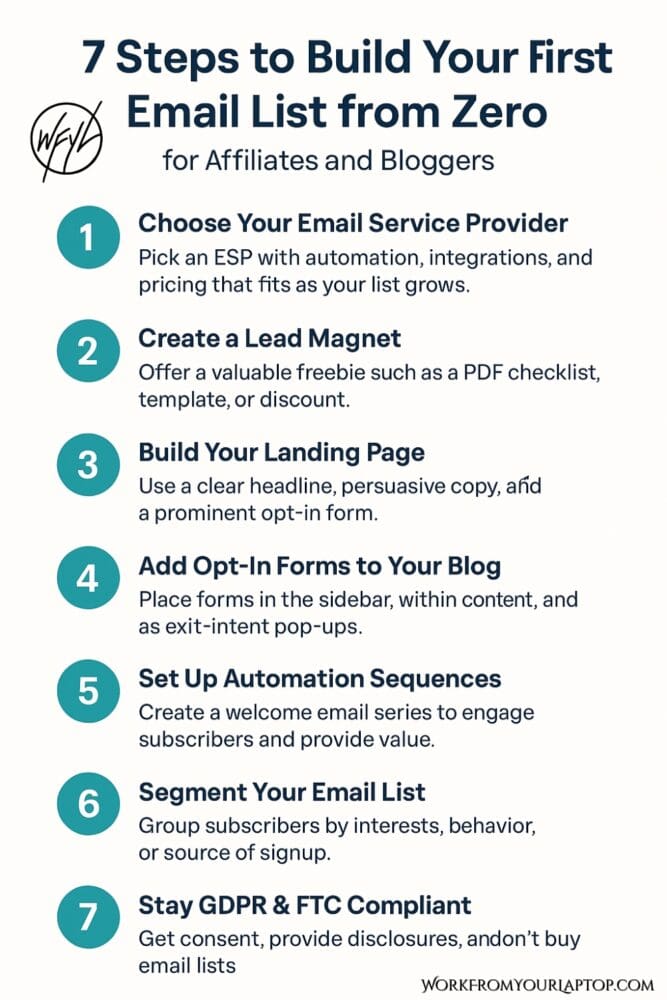
Save this graphic so you’ve got a quick reference anytime you’re working on your email list. Keep it handy and you’ll always know your next step.

how to build an email list step by step graphic

Final Thoughts

Building an email list from scratch means picking the right platform, offering a strong lead magnet, creating focused sign-up points, automating a welcome sequence, segmenting for relevance, and staying compliant from the start.

What do you think? Are you just getting started or looking to grow what you already have? Share your biggest email list challenge below! Your insight might help another reader, and I’m always looking to hear from you and your perspective!

Trying to make money online and still not seeing results? Create your FREE STARTER ACCOUNT with the same straightforward training I’ve used to create full time revenue online. No matter your experience, this step by step training delivers! Click here and get started NOW!


Frequently Asked Questions

How often should I send emails to my list?
Once a week is a good starting point. It keeps you present without overwhelming your subscribers.

What’s the best lead magnet for affiliates and bloggers?
Short, actionable resources like checklists, templates, and mini-courses. They’re quick to consume and deliver an immediate benefit.

How can I increase my email list conversion rates?
Use lead magnets that solve a pressing problem, place opt-ins strategically throughout your site, and test different headlines and calls-to-action to see what converts best.

Want to Deep Dive Further Into Email & List Building?

  • email automation sequence that converts
    How to Set Up an Email Automation Sequence That Actually Converts
  • How to start a newsletter that works
    How to Start a Newsletter That Works: Easy Tips for Beginners
  • email segmentation 101
    Email Segmentation 101 – Avoid Spam and Boost Conversions
  • creating high converting lead magnets
    Creating High-Converting Lead Magnets
  • Building your first email list
    Build Your First Email List from Zero, Step-by-Step
  • How hard is email marketing as a side hustle
    How Hard is Email Marketing as a Side Hustle?

Written by Eric Cantu · Categorized: Essential Reads, Email & List Building

May 19 2025

Top 10 AI Content Creation Tools in 2025: Honest Reviews from Real Users

Top AI Tools for Content Creation

AI tools for content creation are evolving so fast it’s hard to keep up. But not every tool is created equal. I spent the last few weeks diving deep into the most talked-about platforms, reading through Reddit threads, Quora questions, YouTube comments, and user forums to find out what real people actually think about these tools.

This is my ultimate guide to you based on actual feedback. Whether you’re a blogger, YouTuber, freelance writer, or social media manager, this list will help you figure out which AI tools are worth your time in 2025.

One AI tool I left on this list that I use every single day is ChatGPT. That’s because I consider it like it’s a PART OF ME. Seriously. If you’re not using GPT, you’re nuts. Here’s a great article on how I’ve completely replaced Google with it.

Now, on to the rest of the list.

TL;DR: What Are the Best AI Tools for Content Creation in 2025?

In 2025, content creators lean on tools like Descript, Jasper, Grammarly, Canva AI, and Surfer SEO to streamline their workflow, sharpen output, and stay competitive. Each has a standout strength, but they’re not the only players worth exploring.

  • Other solid AI tools include Pictory, Lumen5, Synthesia, Copy.ai, and Writesonic, each built for a specific purpose—whether it’s turning blog posts into videos or cranking out ad copy fast.
  • Pictory makes repurposing content easy, converting text into video with AI voiceovers, though timing often needs a manual touch.
  • Lumen5 automates blog-to-video creation smoothly, but its customization features are limited unless you’re on a premium plan.
  • Synthesia lets you generate avatar-led videos without filming, ideal for demos or training, though the avatars still feel a bit robotic.
  • Writesonic and Copy.ai are great for short-form content, but both require editing when used for long-form or technical topics.
🔍 Have ChatGPT Summarize This Article

What’s In This Article? (Quick Jumps)

  • Descript
  • Jasper AI
  • copy.ai
  • Grammarly
  • Canva
  • Surfer SEO
  • Pictory
  • Lumen5
  • Synthesia
  • Writesonic
  • Final Thoughts
  • Frequently Asked Questions

Descript: The Podcaster’s Dream, the Editor’s Quirky Cousin


descript logo

Website: descript.com
Check out my full Descript review here

Features

  • Audio and video transcription
  • Text-based editing
  • Multitrack audio/video editing
  • Screen recording
  • Overdub (AI voice cloning)
  • Filler word and silence removal

Descript is a versatile content creation tool built around the idea that editing video and audio should be as easy as editing a document. You upload your file, and it auto-generates a transcript that’s directly tied to the video timeline. Delete a sentence from the transcript, and it’s gone from the video. Want to clean up the “ums” and awkward pauses? Descript’s AI takes care of it in one click.

Overdub is one of the most powerful tools: it lets you clone your voice using a short training script. You can then generate synthetic voice recordings in your own voice just by typing, which is a huge time-saver for corrections and edits.

It also supports multitrack editing for podcast or video teams, and its screen recording feature makes it great for tutorials.

Best for: Podcasters, video editors, solo creators, and content marketers who want fast, text-based editing without traditional timelines

Pricing

  • Free: 1 hour transcription/month, watermark on exports
  • Hobbyist: $12/month (billed annually)
  • Creator: $24/month (billed annually)
  • Pro & Enterprise: Custom pricing for teams needing more seats and branding support

Pros & Cons

“We’ve used Descript for a year now and pay $20/mo, which is great for what it does.” — u/DeadlinePending

The speed and ease of editing are major wins. It’s built for podcasters, YouTubers, and solo creators who want to get professional results without a steep learning curve.

“Descript feels more like a prototype than a polished tool. Basic features are buggy.” — Reddit

That said, users have called out bugs, especially in larger or more complex editing projects. Export quality is another common complaint, with noticeable compression in some video outputs.


Jasper AI: Speedy But Pricey Copywriter


jasper logo

Website: jasper.ai

Features

  • Long-form content generation
  • Brand voice integration
  • AI-assisted workflows for teams
  • Templates for ads, emails, blogs, and website content
  • SEO mode and multilingual support

Jasper AI is a powerhouse when it comes to content at scale. It’s built for marketers and businesses that need consistent, on-brand copy. Users can train the AI with their brand voice to generate marketing content that stays true to tone and style. The platform includes dozens of templates—from social media captions to blog intros—and even supports multiple languages.

Its SEO mode helps you craft content that aligns with your keyword strategy, and the long-form assistant can be used to draft articles or sales pages quickly with minimal prompting.

Best for: Marketing teams, freelancers, brand copywriters

Pricing

  • Creator Plan: $49/month — includes 1 brand voice, 1 user seat, and access to 50+ templates
  • Teams Plan: $125/month — includes 3 brand voices, collaboration tools, SEO mode, and priority support
  • Business Plan: Custom pricing for advanced needs and additional users

Pros & Cons

“It’s helped me pump out content way faster. Looks human-written too.” — u/lexus250beast

Jasper is excellent for content teams who need speed and consistency. The brand voice feature is a standout, allowing you to maintain a consistent tone across all outputs.

“Biggest con is the price. And the interface? A bit much.” — Reddit

The pricing can be a hurdle for freelancers or solopreneurs, and the dashboard’s feature-rich layout might feel overwhelming to first-time users.


Copy.ai: Fast, Focused Short-Form Generator


copy ai logo

Website: copy.ai

Features

  • AI-powered copywriting templates for ads, emails, headlines, and social posts
  • Blog post wizard and long-form content support
  • Built-in brand voice and tone customization
  • Project folders and collaboration tools

Copy.ai is all about fast, focused content. It shines when you need snappy headlines, ad copy, email intros, or social captions. The platform features dozens of templates that can generate content with just a few inputs. You can fine-tune the tone and voice to match your brand, and its intuitive dashboard makes it accessible even to beginners.

For longer content like blog posts, Copy.ai includes a guided workflow, but the output often requires heavy editing to get it reader-ready. It’s great for short-form use cases but not as strong when you’re aiming for depth or storytelling.

Best for: Ecommerce stores, solo marketers, small agencies

Pricing

  • Free Plan: 2,000 words/month, limited templates and tools
  • Pro Plan: $49/month (or $36/month billed annually), unlimited words and all features
  • Enterprise: Custom pricing with team collaboration and dedicated support

Pros & Cons

“They work well for short copy. I use them all the time for social posts at work.” — Reddit

Copy.ai is a quick-win tool for marketers who need simple content fast. The templates save time, and the copy feels surprisingly human with minimal input.

“They start to make little sense and the writing doesn’t flow.” — Reddit

That said, the platform struggles with long-form coherence. Articles can read robotic without a lot of post-editing, which makes it less ideal for in-depth blogging.


Grammarly: The Undefeated Editor


Grammarly logo

Website: grammarly.com

Features

  • Real-time grammar and spell checking
  • Tone and clarity suggestions
  • Plagiarism detection
  • AI writing assistant (beta)
  • Integrated browser extension and desktop apps

Grammarly remains the gold standard for polishing writing. It provides real-time feedback on grammar, punctuation, and clarity, along with AI-driven tone suggestions that help make your writing more natural and engaging. Its interface is clean and easy to use, whether you’re writing inside Google Docs, Outlook, or Grammarly’s own editor.

The AI writing assistant can now help rephrase sentences and generate variations, adding light generative AI capabilities to an already robust toolset. It’s not built for creating content from scratch, but it’s one of the best at cleaning things up.

Best for: Writers, students, editors, professionals

Pricing

  • Free Plan: Grammar and spelling checks, conciseness suggestions
  • Premium: $12/month (billed annually) or $30/month (billed monthly) — includes tone adjustments, full-sentence rewrites, and plagiarism detection
  • Business: $15/user/month — includes team management, analytics, and style guides

Pros & Cons

“So much better than built-in spellcheckers. Catches way more.” — Reddit

Grammarly is an essential tool for writers who want to ensure clarity and correctness. The tone detector and rewrite suggestions are helpful for improving flow.

“Most of the suggestions were very robotic.” — Reddit

However, tone suggestions don’t always hit the mark, and advanced grammar edits can occasionally feel unnatural or overly formal.

Related article: Check out my review on a platform that promises to help you use AI tools and build a business on autopilot. Is this really legit?


Canva AI: Design + AI Writing in One Tool


Canva logo

Website: canva.com

Features

  • Magic Write (AI text generation)
  • Magic Design and Magic Edit tools
  • Drag-and-drop visual content creation
  • Brand kits, templates, and stock asset library
  • Team collaboration and scheduling tools

Canva has grown beyond being just a design tool. With Magic Write, you can now generate marketing copy, blog intros, product descriptions, and more. Magic Design lets users input a prompt or upload an image, and Canva instantly builds an entire design layout around it.

Magic Edit allows you to alter visual elements inside images using prompts (think remove an object or change colors). It’s become a one-stop shop for creators who want fast, branded content without hiring a designer or copywriter.

Best for: Content creators, brand designers, social media managers

Pricing

  • Free Plan: Access to basic templates, Magic Write (limited uses), and 5GB cloud storage
  • Pro Plan: $12.99/month for individuals — includes Magic tools, brand kits, premium templates, and 100GB storage
  • Teams Plan: $14.99/month for up to 5 users — includes workflows, approval systems, and shared team folders

Pros & Cons

“I use the background remover often. Magic Expand is great when it works.” — Reddit

Canva is perfect for creators who want to streamline both design and copy. It’s intuitive, and the AI tools are surprisingly effective for quick tasks.

“Magic Write tends to stray away from original content.” — Reddit

The AI outputs can sometimes feel generic, especially in long-form content, and Magic Edit occasionally misinterprets prompts. Still, for visuals + copy all in one place, Canva AI is hard to beat.

Work From Your Laptop YouTube Subscribe

Surfer SEO: Optimization for Content Pros


Surfer SEO logo

Website: surferseo.com
Check out my full Surfer SEO review here.

Features

  • Real-time on-page SEO recommendations
  • NLP keyword integration
  • Content score grading system
  • SERP analyzer and audit tool
  • AI-driven content briefs

Surfer SEO is a tool that brings SEO strategy into the writing process. As you create content, it grades your writing in real time based on keyword usage, word count, headings, and more. The content score helps you track optimization while writing, so you’re not just guessing what Google wants.

Its NLP keyword tool pulls data from top-ranking pages and suggests semantically related terms to use naturally throughout your article. Surfer also includes a SERP analyzer and audit tool, allowing you to reverse engineer competitors’ content and see what’s helping them rank.

Best for: SEO agencies, niche site builders, content ops teams

Related article: When it comes to SEO strategies, does GEO replace SEO? Check out my article on how to optimize for AI search!

Pricing

  • Essential Plan: $89–$99/month — Includes content editor, keyword research, and SERP analysis
  • Scale Plan: $219/month — Includes more content editor credits and AI tools
  • Enterprise: Custom pricing — For large teams needing content at scale and custom integrations

Pros & Cons

“Game-changer for content optimization.” — Reddit

Surfer is a powerhouse for SEO content writers. It simplifies technical optimization and helps your content compete from day one.

“It’s astrology for SEOs.” — Reddit

Some writers feel Surfer encourages keyword stuffing or prioritizing score-chasing over genuine writing. There’s a balance to strike, and it may not be for every writing style.


Pictory: Turn Text into Video


pictory logo

Website: pictory.ai

Features

  • Text-to-video transformation from blog posts, scripts, or articles
  • AI voiceover generation
  • Captioning and auto-highlighting key points
  • Stock footage and audio library
  • Video summarization and clipping

Pictory is designed for creators who want to turn long-form content into short-form video without editing software or on-camera work. Simply paste in a script or article URL, and Pictory auto-generates a video outline with visuals, voiceovers, and captions. You can select from a library of stock footage or upload your own clips, making it flexible for various styles.

It’s especially useful for repurposing blog posts into YouTube Shorts, LinkedIn clips, or Instagram Reels. The platform even allows you to extract highlight reels from longer videos for sharing across social platforms.

Best for: Content marketers, bloggers, repurposing pros

Pricing

  • Starter: $19/month — up to 30 videos/month, 10-minute limit per video
  • Professional: $39/month — up to 60 videos/month, 20-minute video limit, branding and custom templates
  • Teams: $99/month — team collaboration tools, shared workspaces, priority support

Pros & Cons

“It’s just amazing compared to Fliki and Invideo.” — Reddit

Pictory is perfect for content marketers who want to scale video output quickly. The interface is beginner-friendly and the auto-captioning feature is a big time saver.

“Do AI-created videos get penalized by YouTube?” — Reddit

However, the AI voiceovers still have that synthetic tone, and you may need to manually tweak visual timing for a polished result.

Read my full PIctory review here for a full breakdown on everything it offers.


Lumen5: Slide-In, Slide-Out Video Creation


lumen5 logo

Website: lumen5.com

Features

  • Text-to-video transformation using blog posts or scripts
  • Drag-and-drop video editor
  • AI-generated B-roll, animations, and music
  • Branded templates and themes
  • Captioning and social media aspect ratio support

Lumen5 turns blog posts and written content into animated videos in just a few clicks. The AI highlights key sentences and builds a storyboard using licensed visuals, animations, and audio tracks. You can drag and drop elements to tweak the final look or let the AI handle layout and timing automatically.

It’s especially useful for repurposing blog content into explainer-style videos for YouTube, Instagram, or LinkedIn. Lumen5 also offers brand kits and templates, so your videos stay visually consistent across platforms.

Best for: Educators, content teams, bloggers

Pricing

  • Basic Plan: $19/month — 720p videos, limited features and templates
  • Starter: $59/month — 1080p exports, custom colors and fonts, 1 user seat
  • Professional & Business: $149/month and up — includes branding tools, collaboration, premium media, and more user seats

Pros & Cons

“Great for repurposing blog posts into shorts.” — Reddit

Lumen5 excels at simplicity. It’s intuitive and saves tons of time, especially if you’re turning written content into video regularly.

“Needs work on customization and quality.” — Reddit

Customization is limited in the lower tiers, and advanced users may find the editing tools too basic. The automation can also be hit or miss depending on the input format.

Related article: Want to read about an AI writing tool I was directly asked to include on this list but I couldn’t do it with a clear conscience after my research? Check out my full guide on Wordform AI here!


Synthesia: The Avatar Factory


Synthesia logo

Website: synthesia.io

Features

  • AI-generated video from text scripts
  • Customizable avatars and multilingual support
  • Screen and slide integration
  • Template library for training and explainer videos
  • Audio editing, subtitles, and automatic scene generation

Synthesia is built for those who want to produce professional-quality videos without being on camera. You simply input your script, choose an AI avatar, and the platform generates a video where the avatar presents your message. It’s especially useful for training videos, onboarding materials, and explainer content.

You can upload your own backgrounds or slides, edit subtitles, and generate multilingual versions with native-sounding AI voices. While not perfect in tone and inflection, the avatars are steadily improving and now support dozens of languages.

Best for: Course creators, HR teams, SaaS explainers

Pricing

  • Starter Plan: $22/month — includes 10 video credits/month, access to avatars, subtitle editing, and custom backgrounds
  • Creator Plan: $67/month — includes 30+ avatars, branding tools, multiple scenes, and extended video lengths
  • Enterprise Plan: Custom pricing — for teams needing custom avatars, analytics, and bulk production

Pros & Cons

“Pretty solid, even if the avatars feel robotic.” — Reddit

Synthesia is great for professionals who need consistent, branded video content without the cost of filming. It cuts production time to hours instead of days.

“The avatars can feel a bit robotic sometimes.” — Reddit

Despite ongoing improvements, the synthetic nature of the voices and facial movements can still feel uncanny at times, especially for emotionally expressive content.


Writesonic: Budget-Friendly Jasper Alternative


writesonic logo

Website: writesonic.com

Features

  • AI content generation for blogs, ads, emails, and product descriptions
  • Chatsonic (ChatGPT-like AI assistant)
  • Landing page and website copy tools
  • AI article writer and paraphrasing tools
  • Multilingual support and API access

Writesonic is a flexible writing assistant built for creators who want quick, functional content without breaking the bank. Its dashboard includes tools for blog posts, Google ads, landing pages, and email sequences. Chatsonic acts like an AI chatbot you can prompt conversationally, and it integrates with Google search for up-to-date results.

The AI article writer can produce long-form content in just a few steps. While it’s not as nuanced or polished as Jasper, it’s plenty good for product reviews, blog intros, and quick-turnaround SEO articles. There’s also a paraphrasing tool and sentence expander to help rewrite or refine drafts.

Best for: Bloggers, affiliate marketers, budget-conscious creators

Pricing

  • Free Trial: Limited credits and features for testing
  • Basic Plan: $15/month — includes short-form content generation, AI chat, and access to templates
  • Professional Plan: $45/month — adds long-form writing, advanced AI quality, and bulk generation
  • Enterprise Plan: Custom pricing — team collaboration, white-labeling, and API usage

Pros & Cons

“Produces content 10x faster than a pro writer.” — AmbitiousInvestor.com

Writesonic is perfect for creators looking to produce lots of content without a heavy budget. It covers a wide range of content types and is very beginner-friendly.

“They’re all shit. Especially for technical writing.” — Reddit

While fast and versatile, it falls short in highly technical or specialized content. You’ll need to do a fair bit of editing to make it sound natural in those cases.

Trying to make money online and still not seeing results? Create your FREE STARTER ACCOUNT with the same straightforward training I’ve used to create full time revenue online. No matter your experience, this step by step training delivers! Click here and get started NOW!


Final Thoughts

In 2025, the smartest content creators aren’t asking which AI tool to use—they’re building workflows with the right mix. Test what works, tweak what doesn’t, and let AI do the heavy lifting.

What do you think? Which AI content creation tools do you use? Which have left you wanting more? Let me know in the comments section below! I’m always eager to hear your perspective and I always replay back!

Trying to make money online and still not seeing results? Create your FREE STARTER ACCOUNT with the same straightforward training I’ve used to create full time revenue online. No matter your experience, this step by step training delivers! Click here and get started NOW!


Frequently Asked Questions

What is the best AI content creation tool for beginners in 2025?
For beginners, Copy.ai and Canva AI are excellent starting points in 2025. Both offer user-friendly interfaces, quick content generation, and low-cost or free plans, making them ideal for creators just starting out.

Are AI content creation tools like Jasper or Writesonic worth the subscription cost?
Jasper and Writesonic are worth the investment if you’re producing content at scale. Jasper offers powerful long-form capabilities and brand voice control, while Writesonic provides affordable versatility, especially for bloggers and affiliate marketers.

How do AI tools like Surfer SEO and Grammarly improve content quality?
Surfer SEO enhances your content’s search engine optimization by suggesting relevant keywords and structure in real time. Grammarly polishes grammar, tone, and clarity, ensuring your writing is both professional and readable.


Want More Honest Reviews?

  • Wordform AI review
    Wordform AI Review: What They Don’t Tell You About the $67 Price
  • Cash Tracking System Scam Review
    7 Red Flags That Prove Cash Tracking System Is a Scam
  • Keala Kanae Power Code Masterclass review scam
    Keala Kanae’s Power Code Masterclass Review: The Free Bait Before the $29K Hook
  • Genesis by Inspirean Keala Kanae Scam or Legit Review
    7 Reasons Why Keala Kanae’s Genesis by Inspirean Is a Bad Idea – Honest Review
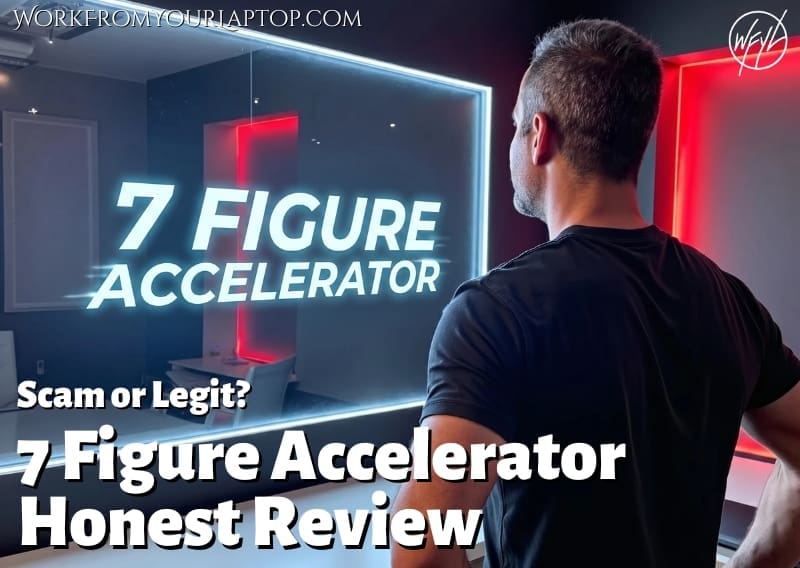
  • 7 figure accelerator review
    7 Figure Accelerator Review
  • Mastermind.com Review
    Mastermind.com Review: Scam or the Ultimate Knowledge Business Tool?

Written by Eric Cantu · Categorized: Essential Reads, AI & Automation Tools

  • Page 1
  • Page 2
  • Go to Next Page »
  • Home
  • Sign Up
  • Blog & Search
  • Privacy Policy
  • Affiliate Disclosure

Copyright © 2026 · Work From Your Laptop · Eric J. Cantu · All Rights Reserved