• Skip to main content
  • Home
  • Sign Up
  • Blog & Search
  • Privacy Policy
  • Affiliate Disclosure

WORK FROM YOUR LAPTOP

  • Start Here
    • Watch the Video Tutorial
    • FAQs
    • Start Your FREE TRAINING!
  • Blog
  • Meet Eric

Blogroll

Aug 31 2025

Content360 Review: Is the $67 Lifetime Social Scheduler Legit?

Content360 Review

I keep seeing the Content360 ads all over my socials promising “post everywhere, forever, for $67,” so I’ve done some digging into real user feedback and what the tool actually does so you don’t have to. Let’s get straight into it.

TL;DR: Is Content360 Worth It?

Content360 is a low-cost, early-stage social scheduler with AI and automations. Big upside for solo creators; rough edges and limited docs may frustrate teams.

  • Bold lifetime value: Limited promo shows a $67 one-time lifetime license, otherwise $47/mo (headed to $97). Check the current page before buying.
  • Real multi-platform posting: Users confirm scheduling works across many networks; some even mention Bluesky support. UI feels basic.
  • AI + automations baked in: Captions, ideas, link-in-bio, IG/FB comment/DM automations are pitched as core features.
  • New but improving: Creators report quirks improving over time and new features shipping.
  • Support is sketchy: Users say support replies quickly to most issues, but commenters here are mentioning issues with canceling, refunds, etc.
  • Potential gotchas: Upsells reported by at least one buyer; YouTube upload/auth limits surfaced by users.
🔍 Have ChatGPT Summarize This Article

What’s In This Article? (Quick Jumps)

  • What Is Content360?
  • Pricing – Lifetime vs Monthly (Read This First)
  • Content360 Features
  • Hands-On Take: My Experience & Workflow
  • How It Compares vs. “Big” Schedulers
  • Content360 Testimonials
  • Final Thoughts
  • Frequently Asked Questions

What Is Content360?

Website: content360.io
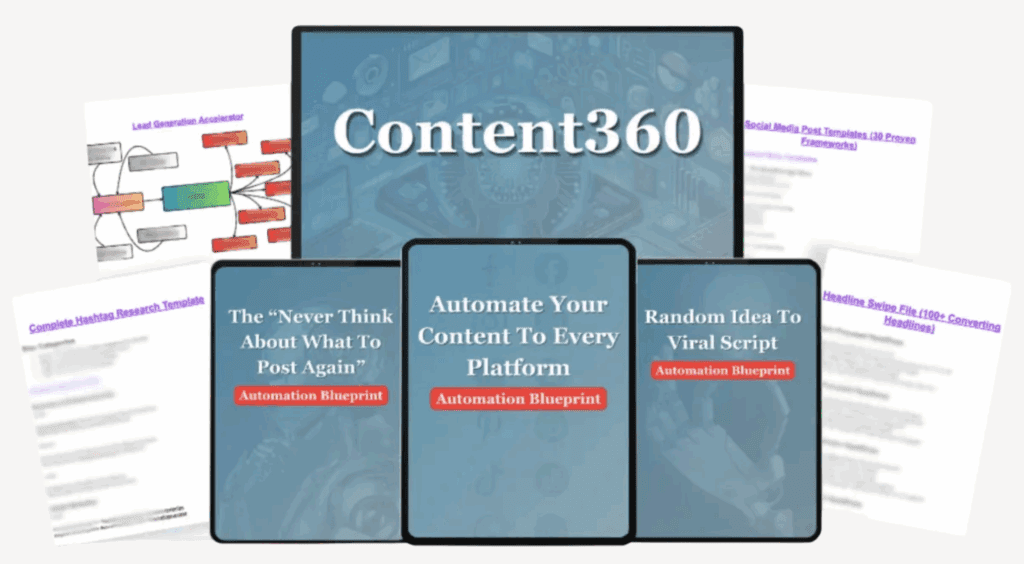

content360 review

Content360 is a tool that helps people plan, create, and post to many social media accounts from one place. Instead of logging in to each app, you can manage everything from one dashboard. It also has AI tools that can help write captions, suggest ideas, and even reply to comments or DMs automatically.

It’s meant to be a simple way to create something once and share it everywhere without wasting extra time. Some users say this makes running social media feel less overwhelming. And if you’re a content creator, you definitely know the feeling of being spread too thin.

Who it’s for: It works best for solo creators, coaches, consultants, and small businesses that want an easy way to handle lots of accounts without paying big monthly fees. It’s also a good fit for people who want to save time, keep a consistent posting schedule, and try out automation without spending a fortune.

Related article: Looking for a tool to automate tasks like commenting, liking, following, unfollowing, etc on your socials? Check out my full PhantomBuster Review here!

Want an easy way to fill your content schedule? One simple blog post can easily turn into a week’s worth of social media content. Check out my simple 3 step guide to repurposing your blog content into social media posts!


Pricing – Lifetime vs Monthly (Read This First)

Here’s what most people are talking about.

  • Lifetime Deal: Some checkout pages show a one-time payment of $67 for lifetime access. Always double-check the live page since deals can change.
  • Monthly Plans: The main site shows $47 per month now, and they say it may rise to $97 per month later. Be sure to confirm the current price before you buy.

content360 review pricing

Important: At least one buyer said they saw an extra $97 upsell for AI features during checkout, even though ads made it sound included. Read the checkout page carefully before paying.


Content360 Key Features

Based on product pages and walkthroughs, here’s what you can expect:

  • Post to many platforms (15+), unlimited accounts, and groups. People say it even supports Bluesky. You can connect lots of accounts and group them for easy posting.
  • AI tools to help with ideas, captions, and images.
  • Automations like Instagram and Facebook auto-replies to comments, DM triggers, and a Messenger chatbot to keep conversations going.
  • Calendar, templates, video support, and link-in-bio tools, plus basic analytics.
  • Works in your browser on desktop and mobile, no big install required.

What users didn’t like: Some say the help docs are thin, and YouTube uploads sometimes have issues.

Related article: Check out my full guide on Top AI Tools for Content Creation. If you’re not using these tools, rest assured your competition is!


Hands-On Take: My Experience & Workflow

I tried looking at Content360 like a budget-friendly creator. Could it replace using lots of tabs and spreadsheets?

  • Setup: Pretty simple. You connect your accounts, make posts, and schedule them. Some platforms may need to be reconnected now and then.
  • Weekly workflow: The usual flow is: use AI for ideas → write captions → add images or videos → pick where to post → schedule it. If you already make content elsewhere, this tool acts like your posting hub.
  • Automations: The Instagram/Facebook comment-to-DM feature is a cool one for giveaways or viral posts. Just make sure you know what’s included in your plan.
  • Everyday use: Most people say it works fine, and support replies quickly. But the design looks basic, and the guides are limited. If you like polished tools with big knowledge bases, this might feel a little rough.

Bottom line: For creators on a tight budget, it’s a strong all-in-one option. For larger teams that need approvals, deep analytics, and very reliable tools, bigger names like Buffer or Sprout Social may be better.
Work From Your Laptop YouTube Subscribe

How It Compares vs “Big” Schedulers

  • Value: The $67 lifetime (if available when you read this, I didn’t find it) is much cheaper than mainstream tools over a year. Even the $47/mo entry is competitive for unlimited accounts.
  • Features: Content360 has plenty of cool automations (comment→DM, chatbots) plus AI ideation. Many of the competitors charge extra or don’t charge this at all.
  • Maturity: Not the most polished UI, certain integrations like limitations with YouTube are where you’ll feel growing pains.

Content360 Testimonials

Below are real-world notes pulled from Reddit, Medium, TikTok, Facebook, and YouTube. I’ve grouped them by sentiment and lightly paraphrased for clarity.

✅ Content360 Positive Reviews

  • “Scheduling works; price is unbeatable. Support replies fast.” – buyer report.
  • “Posting was fine for days; recent hiccup only. Bluesky support is a perk.”
  • “Does what it advertises and does it well, especially for a one-time price; reliability has improved; new features added.” – month-long walkthrough.
  • “No limit on number of accounts; grouping accounts speeds multi-posting.” – product walkthrough.
  • “I use Content360 for almost all my social posts – easy to create and schedule; one-time fee.” – user post.

❌ Content360 Complaints

  • “Interface feels ugly/not intuitive—it works, but navigation isn’t polished.”
  • “Documentation is thin; you may need chat support for basics.”
  • “Saw links pointing to another site; looks like the software was marketed under a different name before.”
  • “YouTube uploads limited (authorization constraints), making advance scheduling hard at times.”
  • “Large video uploads stall mid-progress (e.g., ~20–30% on a 500MB file).”
  • “At checkout, saw an upsell for AI automation that ads implied was included.”
  • “Re-authorization needed occasionally (e.g., Threads) after a month.”

Note: Check out the comments below. More than one commenter has mentioned issues with cancelling, getting refunds, etc.


Final Thoughts

If you want an affordable, simple scheduler with some extra tools, Content360 can be a great deal, as long as you don’t mind a few rough spots. Always double-check the live offer before buying.

What do you think? Have you tried Content360’s lifetime plan? Did YouTube uploads or logins give you problems? Which features (AI ideas, comment→DM, link-in-bio) helped you most? Share your experience below to help other creators.

Trying to make money online and still not seeing results? Create your FREE STARTER ACCOUNT with the same straightforward training I’ve used to create full time revenue online. No matter your experience, this step by step training delivers! Click here and get started NOW!


Frequently Asked Questions

Is the $67 lifetime deal real and still active?
Sometimes, yes, but it changes. I’ve seen images of a $67 one-time promo on a dedicated checkout page, while the main site pushes $47/mo (aiming at $97). Always check the current offer and what’s included at checkout.

What platforms does Content360 support?
The site touts publishing to 15+ platforms, unlimited accounts, and extras like IG/FB comment/DM automations and a Messenger chatbot builder. Users specifically mention Bluesky support as a plus.

Are there known issues I should expect?
Expect an early-stage UX (basic design, light docs). Users reported YouTube auth/upload limits, occasional re-auth, and at least one upsell during checkout. Support replies, but may escalate technical issues.


Want More Honest Reviews?

  • Wordform AI review
    Wordform AI Review: What They Don’t Tell You About the $67 Price
  • Cash Tracking System Scam Review
    7 Red Flags That Prove Cash Tracking System Is a Scam
  • Keala Kanae Power Code Masterclass review scam
    Keala Kanae’s Power Code Masterclass Review: The Free Bait Before the $29K Hook
  • Genesis by Inspirean Keala Kanae Scam or Legit Review
    7 Reasons Why Keala Kanae’s Genesis by Inspirean Is a Bad Idea – Honest Review

  • 7 figure accelerator review
    7 Figure Accelerator Review
  • Mastermind.com Review
    Mastermind.com Review: Scam or the Ultimate Knowledge Business Tool?
Written by Eric Cantu · Categorized: Reviews & Comparisons

Aug 29 2025

Email Segmentation 101 – Avoid Spam and Boost Conversions

email segmentation 101

Sick of emails that feel like they’re disappearing into the void? You need to start delivering value based on your reader’s specific interests! That’s where segmentation comes in. It helps your message land like it was written just for them. Genius!

TL;DR: How Does Segmenting Emails Boost Conversions?

Segmentation divides your list into meaningful groups, by who they are or how they act, so your emails feel personal, timely, and actually worth reading, leading to more clicks, sales, and brand love.

  • Behavior → Better Timing: Send based on actions (like clicks or past buys) for tailored timing and content.
  • Demographics → Better Fit: Align messaging with who they are (age, job, location) so it resonates.
  • Higher Engagement: Relevant emails get opened, not ignored or trashed.
  • Stronger Deliverability: Active, happy readers boost your sender reputation.
  • Niche Examples: From fashion to fitness to B2B software, segmentation keeps emails from being generic.
🔍 Have ChatGPT Summarize This Article

What’s in this article? (Quick Jumps)

  • Why email segmentation matters
  • Top email segmentation types that work
  • Behavior vs Demographics, What makes each so potent
  • Segmenting by niche: Real examples
  • Advanced moves to try
  • Final Thoughts
  • Frequently Asked Questions

Why Email Segmentation Matters

Sending the same email to everyone is lazy. Sounds a bit harsh, but when you have tools that make delivering tailored, hyper relevant content possible, well, it’s the truth.

Your audience will convert like crazy when the email newsletter they’re a part of feels like it’s tailored for them, not some random message sent to a huge list. That’s where email segmentation comes in. It helps you group people based on who they are or what they do, so your message fits better.

Whether you’re just starting your email list, or have an email list of thousands of people, segmentation makes each message feel more personal. Sorting your audience by things like age, job, or past behavior helps your emails do way better.

Plus, email platforms like Gmail are more likely to send your emails to the inbox (not the spam folder) if people are actually clicking and reading them.


Top Email Segmentation Types That Work

These are the most common ways to break up your email list to make sure they get opened, read, and clicked. Whether you’re sending emails to busy parents, tech experts, or people who haven’t heard from you in a while, choosing the right way to group them can help your email do a lot better.

  • Demographic Segmentation: Split by traits, like age, gender, job, location. Example: sending diaper deals to new parents versus home décor to professionals.
  • Behavioral Segmentation: Based on what people do, think clicks, opens, site visits, purchases, etc. Powerful for triggered campaigns and follow-ups.
  • Progress / Lifecycle Stage: Beginner vs advanced in your niche, helping you understand whether to send tutorials or expert strategies accordingly.
  • Purchase History: Bought once? Remind them. Bought often? Reward them.
  • Engagement Level: Separate the openers from the radio silencers, and tweak your message. Straight-talk for active, re‑engagement for the inactive.

Behavior vs Demographics: What Makes Each So Potent

When you’re deciding how to group your audience, two big strategies stand out: what people do and who they are. Let’s look at both up close.

Behavior = Hyper‑Relevance

Think about what someone does before they buy something. If they click on a product or visit a page, they might be interested. So sending an email right after they do that, like a “Still interested?” reminder or a coupon can make them more likely to buy. It’s about showing up at just the right time when they’re thinking about it.

Demographics = Personal Tone

This is about who the person is. Knowing things like their age, where they live, or what they do for work helps you write emails that feel more personal. For example, a message for a teen might sound very different from one for a mom with kids. When the email matches who they are, it feels more real and builds trust.

Combined Power

Now imagine using both together. If someone owns a cat (demographic) and recently clicked on cat toys (behavior), you can send them fun cat content that is hyper-specific to them. Trust me when I say they’ll react and connect with that.

Mixing what people do with who they are helps you dramatically boost conversions. It’s not just about getting in the inbox, it’s about sending something people care about so they take action.

For those evaluating email automation tools, I’ve also published a full review of how ClickFunnels 2.0 manages segmentation and workflows

Work From Your Laptop YouTube Subscribe

Segmenting by Niche: Real Examples

To really bring segmentation to life, it helps to see how it plays out across different industries. Here are some real-world examples of how businesses can segment their audience.

E‑commerce Fashion

  • Behavioral: If someone leaves something in their cart, send a reminder like, “Don’t forget your jacket!” You can also show them more items like the ones they looked at.
  • Demographic: Send different clothing ideas based on someone’s age or gender. Younger shoppers might like trendy styles, while older shoppers may prefer more classic looks.
  • Advanced: Use smart tools to guess what a shopper might want next. Then send them outfits or fashion tips based on what they liked before.

B2B Software / SaaS

  • Behavioral: If someone downloads a guide or joins a webinar, follow up with more tools or an invite to try your product.
  • Demographic: Group people by their job or company size. Send big-picture content to managers and step-by-step help to everyday users.
  • Advanced: Track who’s most active and send them special offers or early access to new features.

Content Creators / Bloggers

  • Behavioral: Watch what posts, freebies, or videos someone clicks on. Then send them more of that kind of content.
  • Demographic: Group readers by age or topic they like, like crafts, tech, or wellness, and send content that matches their style.
  • Advanced: Use tools that tag people based on their activity and send newsletters based on what they enjoy most.

Travel & Tourism

  • Behavioral: See what types of vacations people look at. Are they into relaxing beach vacations or adrenaline rushed adventure trips? Send deals accordingly.
  • Demographic: Group people by age, budget, or who they travel with. Then send tips or trips that match what they’d enjoy.
  • Advanced: Use where someone lives and the time of year to send travel ideas that fit their location and season.

Healthcare / Wellness

  • Behavioral: Notice what health info someone reads, like workouts or stress tips, and send more helpful advice on that topic.
  • Demographic: Group people by age, gender, or health goals, then send tips and plans that match what they need.
  • Advanced: Watch how often someone interacts with your site or app, and send reminders or personalized health tips to keep them going.

Online Coaches and Creators

  • Behavioral: See who watches your free videos or clicks on your coaching offers. Then invite them to sign up for your full program.
  • Demographic: Group your audience by what they do, like new freelancers, creators, or business owners, and send resources to help them grow.
  • Advanced: Recommend courses or VIP options based on what they’ve already signed up for or shown interest in.

Related articles: Check out my reviews of AWeber and Systeme.io and see which email automation service is a better fit for your email marketing needs!


Advanced Moves to Try

Ready to go beyond the basics?

  • Predictive Segmentation: This means using smart technology to guess what someone might want to buy next, kind of like when a streaming app suggests the next show you’ll love. You can also use what they’ve looked at before to make even better guesses.
  • Micro‑profiling (Progressive Profiling): Instead of asking for a bunch of information all at once, you collect small bits over time. It’s like getting to know a new friend slowly, so you don’t scare them off.
  • Lifecycle Stage + Behavior: People are at different points in their journey with your brand. New subscribers, regular customers, and people who haven’t visited in a while all need different kinds of emails. Paying attention to what they click helps you send better stuff.
  • Interest-Based Tagging: Let people choose what they like, or watch what they click on to figure it out. Then you can group them by hobbies, goals, or what they might want to buy.
  • Geotargeting: Use where someone lives to send better emails, like a special deal for a nearby store or info about an event in their city. It’s super useful if your business has real locations or sells worldwide.

Related article: Ready to start sending quality emails to your list? Check out my full guide on building an email automation sequence that converts!


Final Thoughts

In short, segmentation makes emails more personal and effective. It helps you send the right message at the right time to the right people, and that means much better conversions and less time spent in the spam folder.

What do you think? Have you tried segmenting your emails yet? What worked (or flopped) most recently for you? Tell me your favorite niche story! I’d love to hear it!

Trying to make money online and still not seeing results? Create your FREE STARTER ACCOUNT with the same straightforward training I’ve used to create full time revenue online. No matter your experience, this step by step training delivers! Click here and get started NOW!


Frequently Asked Questions

1. What’s easiest segmentation for a solo blogger to start with?
Start with interest-based plus progress-level. Ask readers about their favorite topics and skill level in your welcome email.

2. How do I reduce unsubscribe rates with better segmentation?
Send fewer, more relevant emails to each group. Irrelevant content is the top reason people click “unsubscribe,” so segmentation helps put the brakes on that.

3. Can segmentation improve email deliverability?
Absolutely. When emails are opened and engaged with, ISPs see you as trustworthy and less likely to send your emails to spam.


Want More Email Marketing Strategies?

  • email automation sequence that converts
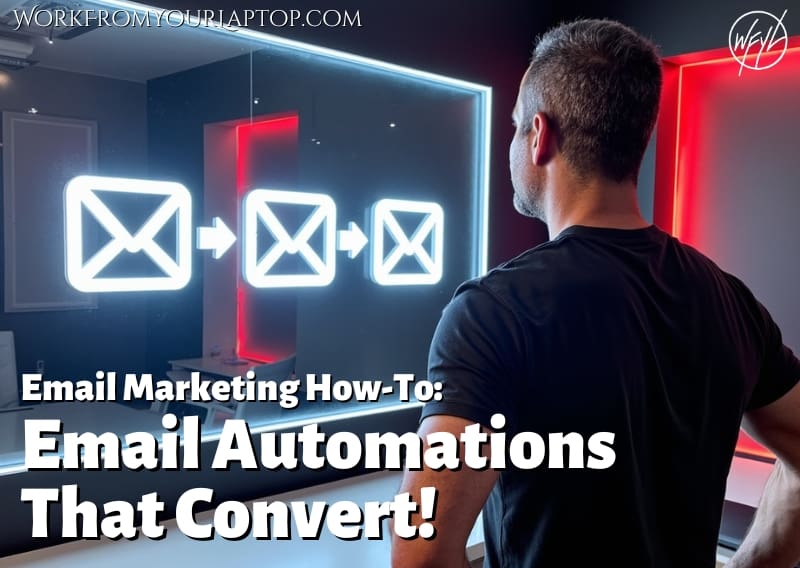
    How to Set Up an Email Automation Sequence That Actually Converts
  • How to start a newsletter that works
    How to Start a Newsletter That Works: Easy Tips for Beginners
  • email segmentation 101
    Email Segmentation 101 – Avoid Spam and Boost Conversions
  • creating high converting lead magnets
    Creating High-Converting Lead Magnets
  • Building your first email list
    Build Your First Email List from Zero, Step-by-Step
  • How hard is email marketing as a side hustle
    How Hard is Email Marketing as a Side Hustle?

Written by Eric Cantu · Categorized: Email & List Building

Aug 26 2025

Invisible Affiliate System Review (Adam Cherrington) – My Honest Take


invisible affiliate system review

Have you come across Adam Cherrington’s Invisible Affiliate System? Anytime someone says they’ve cracked the code to affiliate marketing success, you gotta start to wonder: is this the real deal, or just another overpriced upsell-heavy system? Spoiler: while there are a few positives, this is not something I’d recommend for beginners..

TL;DR Is Invisible Affiliate System Worth the Money?

The Invisible Affiliate System is Adam Cherrington’s ultra high-ticket affiliate coaching program that promises big payouts but comes with huge risks. Here’s the bottom line:

  • Massive upfront cost – Core mentorship priced around $28,995, plus $5K–$10K ad spend, and potential upsells.
  • Unrealistic promises – Ads claim you can make $450K+ per month, which is wildly inflated for most beginners.
  • Some genuine mentorship – Adam does offer one-on-one guidance and access to his proprietary affiliate software.
  • Vague pricing model – Costs beyond the initial buy-in remain vague and keep climbing.
  • Refund headaches – Action-based refund policies make it nearly impossible to get your money back.
🔍 Have ChatGPT Summarize This Article

What’s In This Article? (Quick Jumps)

  • What Is the Invisible Affiliate System?
  • How Much Does Invisible Affiliate System Cost?
  • Invisible Affiliate System Features & Big Promises
  • My Personal Experience
  • Invisible Affiliate System Testimonials
  • Final Thoughts
  • Frequently Asked Questions

What Is the Invisible Affiliate System?


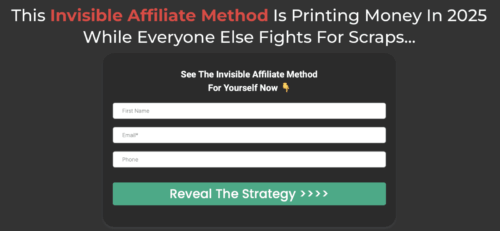
invisible affiliate system review screenshot

The Invisible Affiliate System is another one of Adam Cherrington’s high-end, “secret” affiliate systems. It promises to turn you into a “super‑affiliate” with insider strategies, proprietary tools, and one‑on‑one coaching.

But if you’re familiar with Adam Cherrington, you recognize how the delivery structure mirrors his other programs: front‑loaded hype, huge price tags, and rapidly stacking upsells.

  • Adam’s Method (also called The Cherrington Experience): A mentorship program reportedly valued at $40K–$100K, promising deep, hands‑on guidance.. Check out my full Adam’s Method review here.
  • The Cherrington Experience: Another mentorship product focused on“done for you” support, and tools to test profitable campaigns quickly.
  • Affiliate Cashflow Code (a.k.a. Adam’s Affiliate Journey): A low-ticket $11.95 entry funnel that quickly escalates into aggressive upsells, promising big numbers with vague, recycled strategies. Check out my full Affiliate Cashflow Code review here.

How Much Does Invisible Affiliate System Cost?

This is always the part of the pattern that raises the biggest eyebrows.

  • The core mentorship program is reported at $28,995 for six months. That is insanely high ticket.
  • Students are expected to spend an additional $5,000–$10,000 on paid ads. As a beginner, you should never jump right into paid ads or PPC without understand what converts organically first.
  • Some reviews and complaints suggest further upsells beyond the initial cost, which could easily push investment well past $35K–$40K.
  • Refund policies are conditional, requiring students to prove they followed all steps precisely. In practice, many report refunds being flat-out denied.

I shouldn’t have to say this, but this is NOT a beginner friendly program to jump into. Spending like this doesn’t guarantee you a single conversion. Unlike transparent online business courses that outline costs clearly, the Invisible Affiliate System thrives on vagueness.

In my opinion it’s shady because most don’t get the full picture until they’re already on the hook and it’s too late.


Invisible Affiliate System Features & Big Promises

Adam markets the program around a few key features:

  • One-on-one mentorship – Direct coaching calls with Adam.
  • Proprietary affiliate software – A toolset Adam claims he’s been refining for 10–15 years.
  • Done-with-you training – A structured program where Adam guides you step by step.
  • Affiliate networking opportunities – Being connected to other affiliates within Adam’s circle.
  • Massive income potential – Claims that students can scale up to $450K per month.

Here’s the issue: while mentorship and tools can add value, the exaggerated and unrealistic revenue claims border on outrageous. Very few, if any, beginners will ever hit even a fraction of those numbers, and presenting it as achievable feels misleading.

Related article: Want to learn how to spot red flags like a pro? Check out my full guide on online business coach scams and get your instincts trained on how to spot a scam!


My Personal Experience

I dug into reviews, testimonials, and official marketing. I wanted to see if there were any gold nuggets buried in the upsells. Unfortunately, what I found was a pattern I’ve seen many times: sky-high ticket prices, vague details until after you pay, and promises that sound like lottery tickets rather than realistic business goals.

To be fair, the mentorship aspect is the strongest point. Having a coach does speed up learning, and a tool built from a seasoned affiliate could provide an edge.

But the overall framing of the program makes it feel designed to benefit Adam far more than the students. If you’re new to affiliate marketing and considering this, you’d be much better off starting with affordable, transparent training that doesn’t put you tens of thousands in the hole before you run your first ad.

Related article: Learning affiliate marketing starts with the basics. Don’t overwhelm yourself. Start with my full guide with tips for successful affiliate marketing and build your online business around your passion the right way and without the pressure of being in debt from day one.


Invisible Affiliate System Testimonials

I pulled real feedback from eBizFacts, Reddit, BBB complaints, and independent blogs. Here’s what people are actually saying:

✅ Invisible Affiliate System Positive Reviews

  • “Adam himself has clearly made a lot of money as an affiliate.” – from eBizFacts
  • “Provides one-on-one coaching and access to proprietary software.” – from Ippei’s Blog
  • “Learning from someone active in affiliate marketing is valuable.” – from Reddit
  • “Adam’s connections in the industry are worth learning from.” – from Ippei’s Blog
  • “For the right person with deep pockets, the system could work.” – from eBizFacts

❌ Invisible Affiliate System Complaints

  • “Pricing is vague and costs keep stacking up.” – from eBizFacts
  • “Refunds are denied even when requests seem fair.” – from BBB Complaints
  • “Unauthorized spending and poor communication with ad campaigns.” – from BBB Complaints
  • “Don’t join them. Over promise … charge minimum $13K for mentorship. RUN!” – from Reddit
  • “The revenue claims are beyond unrealistic.” – from Slaylebrity Unmasked
  • “Adam’s marketing feels scammy and manipulative.” – from Reddit
  • “High risk of losing money with ad spend.” – from BBB Complaints
  • “Very few public success stories despite years of running.” – from eBizFacts
  • “Customer service is slow and unhelpful.” – from BBB Complaints

Final Thoughts

The Invisible Affiliate System is a mix of outrageous promises wrapped in a sky-high price tag. For me, the red flags make it a program I cannot recommend.

What do you think? Have you come across Adam Cherrington’s program? Maybe even joined? Drop your thoughts below, I’d love to hear real stories from readers like you.

Trying to make money online and still not seeing results? Create your FREE STARTER ACCOUNT with the same straightforward training I’ve used to create full time revenue online. No matter your experience, this step by step training delivers! Click here and get started NOW!


Frequently Asked Questions

Is the Invisible Affiliate System a scam?
Not exactly. It provides real mentorship. But the pricing, upsells, and refund issues make it a very risky investment.

How much does the Invisible Affiliate System cost?
Reports place the price around $28,995 for six months, plus $5K–$10K in ad spend. Additional upsells may increase costs further.

Who is the Invisible Affiliate System for?
It’s marketed for aspiring affiliates, but realistically, only those with deep pockets and tolerance for high risk might consider it.


Want More Honest Reviews?


  • Wordform AI review
    Wordform AI Review: What They Don’t Tell You About the $67 Price
  • Cash Tracking System Scam Review
    7 Red Flags That Prove Cash Tracking System Is a Scam
  • Keala Kanae Power Code Masterclass review scam
    Keala Kanae’s Power Code Masterclass Review: The Free Bait Before the $29K Hook
  • Genesis by Inspirean Keala Kanae Scam or Legit Review
    7 Reasons Why Keala Kanae’s Genesis by Inspirean Is a Bad Idea – Honest Review
  • 7 figure accelerator review
    7 Figure Accelerator Review
  • Mastermind.com Review
    Mastermind.com Review: Scam or the Ultimate Knowledge Business Tool?
Written by Eric Cantu · Categorized: Reviews & Comparisons

Aug 23 2025

Creating High-Converting Lead Magnets

creating high converting lead magnets

The internet is drowning in freebies. From “Get my all new PDF!” to the weirdly specific spreadsheet, everyone’s offering something in exchange for your email. So how do you stand out and actually get people to hit “subscribe” instead of just bouncing off your page?

That’s where smart, strategic high-converting lead magnets come in.

TL;DR: What Makes a Lead Magnet Convert Like Crazy?

A high-converting lead magnet offers quick, clear value that solves a real problem for a specific audience. The best ones are actionable, easy to consume, and match the subscriber’s intent.

  • Solve a specific problem: Don’t try to be everything to everyone. One pain point, one solution.
  • Make it instantly useful: People should get value within five minutes of opening it.
  • Keep it digestible: Bite-sized is better. A one-page checklist often beats a 30-page ebook.
  • Use intentional design: Good visuals and layout matter. Make it skimmable and attractive.
  • Pair with solid follow-up: Link it to your email funnel for max results.
🔍 Have ChatGPT Summarize This Article

What’s In This Article? (Quick Jumps)

  • Why Well Crafted Lead Magnets Still Work
  • Why Ebooks Are Such a Popular Lead Magnet
  • Checklists and PDFs: Easy One Page Wonders
  • Get Connected and Get Conversions with Webinars
  • Go Interactive with a Quiz
  • Pro Tips for More Opt-ins
  • Final Thoughts
  • Frequently Asked Questions

Why Well Crafted Lead Magnets Still Work

You might think free stuff online doesn’t work anymore, but it still does if you do it right. Email newsletters convert like crazy and the make or break point is the lead magnet.

The secret is to give it real value. If your lead magnet solves a problem people are dealing with right now, they’ll absolutely want it and will have no problem exchanging their email for it. Now

No one wants more junk in their inbox. So if you give them something useful that saves time or actually solves a problem, you’re showing that you respect their time.

That’s the kicker. You need to be helpful and show that you understand what they need. When people see you really get them, this is where they start to trust you. And trust is what leads to them reading your emails, clicking your affiliate links, and maybe even buying what you’re offering.

You deliver value, they give their email, they join your list, and now they’re a part of your equally value driven funnel using platforms like AWeber, Systeme.io, or ClickFunnels.


Why Ebooks Are Such a Popular Lead Magnet

Who even came up with ebooks? They’re not exactly books (they’re usually only a few pages long with not much text on any one page), but they are such a popular choice because they feel more complete and show that you know what you’re talking about.

Done right, they deliver real authority. They help people trust you, and they can even be reused later in a course or other project. They also look more serious than a small checklist, which means people feel like they’re getting something really valuable, and all they had to do was give you their email.

A good ebook gets to the point quickly and gives readers something helpful right away. Do not think you’re delivering great value with an 80 page ebook! No one really wants that!

You want your reader to actually read the whole thing, not just download it and forget about it. So try to keep it short and focused. A 5 or 10-page ebook can be amazing if it teaches something useful and is easy to understand.

How to Craft a High-Converting Ebook

  • Pick one narrow topic: “Instagram Growth for Artists” beats “All About Social Media.”
  • Keep it short: 5–10 pages is totally fine. Include actionable steps, not just theory.
  • Design matters: Use tools like Canva or hire a freelancer to make it look polished.
  • Add a call-to-action: Don’t forget to direct them to your next step. Use it to lead into a course, free trial, or consultation. You’ll double down on this with your email marketing which is the whole reason you snagged that email.

Related article: If you’re building a website, a blog, or a YouTube following, building your email list is an easy natural step. Check out my full guide on building your first email list from zero, step by step.


Checklists and PDFs: Easy One-Page Wonders

Checklists are awesome little tools. In the form of a quick, downloadable PDF, they’re quick, easy to use, and actually really helpful. When someone feels stressed or doesn’t know where to start, a checklist can make things feel simple.

Heck, you may even have your audience printing yours out to have as a hands on helper. Having a step-by-step guide on hand that tells you exactly what to do can be a godsend.

Their real power: they don’t take a lot of time to make, and people love using them. You don’t have to read a bunch of stuff to get the info you need, you just follow the list.

They also help people feel more confident. When you can see what you’ve done and what’s left, it’s easier to stay focused. Whether someone’s starting a blog, getting ready for a big project, or just trying to stay organized, a checklist makes everything feel easier.

Checklist Tips:

  • Make it scannable: Use bullets, boxes, and bold text.
  • Focus on outcomes: “Pre-Launch Checklist” is better than “Tasks to Do.”
  • Pair it with something deeper: Link to a guide, ebook, or email sequence that expands on the checklist.

Get Connected and Get Conversions with Webinars

If you want to display true authority, nothing beats literally being the teacher. Webinars are like online classes where you talk to your audience. You can do them live, which would be some extra work, but most are prerecorded, so it’s not that different than anything you’ve done for your YouTube channel.

People watching your webinar can see how things work (and how you work) and start connecting your face with authority. If your product is yourself, say you’re looking to be an online coach, webinars help your future students feel more comfortable and ready to take the next step.

Just don’t insult your audience’s intelligence and “pretend” it’s live when it’s obviously not, or go way, way over the top with them. I watched this one webinar where the “guru” literally stepped out of a helicopter and had assistants running up to him with a mic as he passed by models in swimsuits at the pool and sat down at a table COVERED WITH PILES OF CASH for his “fake-live” webinar.

Totally cringe.

Why Good Webinars Work:

  • They feel personal: Even a 20-minute mini-webinar builds way more connection than a PDF.
  • You can pitch: Soft or hard, you get a natural moment to make an offer.
  • Great for evergreen funnels: Host it once, automate the rest.

Just remember: value first. Make sure your attendees walk away with something actionable before you pitch anything.


Go Interactive with a Quiz

Quizzes are way more popular than you think. They’re fun to take, they feel personal, and they can help you learn something cool about who you are. When someone takes a quiz that feels like it was made just for them, it grabs their attention and makes them want to stick around.

What’s cool with quizzes is you don’t need to actually send them anything. With a quiz plugin they can be done right there on your website. Quizzes make people stay on your site longer because they’re not just reading, they’re doing something. That makes the experience way more fun.

Plus, the quiz results can give helpful tips or even suggest a product or service based on the answers. So while it seems like just a fun game, it’s all marketing, and that’s where timely emails seal the deal.

How to Make a Quiz That Converts:

  • Start with a hook: “What Type of Freelancer Are You?” or “Is Your Website Costing You Clients?”
  • Keep it short and fun: 5–7 questions is a sweet spot.
  • Give a result that teaches something: Make it genuinely helpful, not just entertaining.
  • Use quiz logic to tag leads: With tools like Systeme.io, you can sort subscribers based on their answers and send tailored follow-ups.

Pro Tips for More Opt-ins

  • Test different formats: Some audiences love webinars, others prefer checklists. Try a few.
  • Promote it like a product: A lead magnet isn’t just “free content”, it’s a conversion tool. Treat it like it matters.
  • Use strong CTAs: “Download Now” is okay. “Steal My Free Client-Getting Checklist” is better.
  • Link it to a funnel: Once they’re in, nurture the relationship. Make your emails solid, value driven, and don’t be salesy.
  • Mention it often: On blog posts, in your bio, even on your homepage.

Related article: Want to see my own personal 7-day email automation sequence template? Check out my full guide on building an email automation sequence that converts!


Final Thoughts

The best lead magnets don’t just get downloads, they start relationships. Whether you go with an ebook, checklist, webinar, or quiz, focus on solving one real problem really well.

What do you think? Have you created a lead magnet before? Did it flop or fly? Got a favorite format that always works for your audience? Drop your experiences, wins, and even flops in the comments. Let’s swap ideas.

Trying to make money online and still not seeing results? Create your FREE STARTER ACCOUNT with the same straightforward training I’ve used to create full time revenue online. No matter your experience, this step by step training delivers! Click here and get started NOW!


Frequently Asked Questions

What’s the best type of lead magnet for email list building?
It depends on your audience, but checklists and quizzes often perform the best due to their simplicity and engagement factor. Test different formats to see what sticks.

How long should a lead magnet be?
Shorter is usually better. Aim for quick wins—ebooks under 10 pages, checklists one page, webinars under 30 minutes, and quizzes with 5–7 questions.

Can I use Systeme.io or AWeber to deliver lead magnets automatically?
Yes! Both Systeme.io and AWeber let you set up automations that deliver your lead magnet immediately after someone opts in, and then continue nurturing them through email sequences.


Want More From the World of Email & List Building?


  • email automation sequence that converts
    How to Set Up an Email Automation Sequence That Actually Converts
  • How to start a newsletter that works
    How to Start a Newsletter That Works: Easy Tips for Beginners
  • email segmentation 101
    Email Segmentation 101 – Avoid Spam and Boost Conversions
  • creating high converting lead magnets
    Creating High-Converting Lead Magnets
  • Building your first email list
    Build Your First Email List from Zero, Step-by-Step
  • How hard is email marketing as a side hustle
    How Hard is Email Marketing as a Side Hustle?

Written by Eric Cantu · Categorized: Email & List Building

Aug 21 2025

Adam’s Method Review – Is Adam Cherrington’s Program Worth the Price Tag?

adam's method review

Any time I step into YouTube I swear I see at least one ad from this guy. Adam Cherrington’s “Adam’s Method” (sometimes called The Cherrington Experience), is surrounded by hype, bold claims, and some sky-high pricing. So is it worth it?

TL;DR: Is Adam Cherrington’s “Adam’s Method” Legit?

Adam’s Method is an expensive, mentor-driven affiliate program that uses newsletter ads instead of social media. While some students report wins, others warn of costly upsells and rigid refund policies.

  • High Price Point – Expect ~$29K upfront + $5K–$10K in ad spend.
  • Unique Strategy – Focuses on newsletter ads, avoiding Facebook bans.
  • Some Wins – Students report $100K+ commissions (with risk).
  • Aggressive Refund Policy – Action-based and tough to qualify.
  • Upsell Heavy – Many feel pressured into bigger commitments.
🔍 Have ChatGPT Summarize This Article

What’s In This Article? (Quick Jumps)

  • What is Adam’s Method
  • Adam’s Method Pricing
  • How Adam’s Method Works
  • My Personal Experience
  • Adam’s Method Testimonials
  • Final Thoughts
  • Frequently Asked Questions

What Is Adam’s Method?

Adam Cherrington is a long-time affiliate marketer who built his program around running ads inside email newsletters and mailing lists rather than on Facebook or Google. This is his way to avoid the bans that happen many times with ads and affiliate marketing on social media platforms, and now he teaches this method to others.

The program promises:

  • 1-on-1 mentorship
  • Proprietary ad software
  • Daily Zoom calls & VA support
  • Fast-testing ad strategies

But trust me when I say that this is one of those guru hype machines that is NOT cheap. Testimonials put the cost at $28,995 upfront plus ad spend, sometimes split into two payments.

That is INSANE. And unfortunately, it’s the same pattern he’s built with his Invisible Affiliate System platform as well. If you’re new to affiliate marketing, RUN. This is not how you want to build your business.

Adam also has a polar opposite ultra low buy-in platform that slowly but surely ramps up the massive upsells instead of hitting you with them right out of the gate. Check out my Affiliate Cashflow Code review.


Adam’s Method Pricing

Adam doesn’t list his prices openly. You’ll only see the numbers after a “strategy call.” If you’ve followed any of my trainings and blogs and YouTube vids then you that any time you see anything called a “coaching call” or a “strategy call” this is a pressured sales call!

Don’t be fooled by any sugar-coating on that.

In my research, multiple verified reports confirm:

  • Program cost: ~$28,995 (sometimes split into 2× $14,495)
  • Deposit: $1,000
  • Required ad budget: $5K–$10K minimum
  • True cost: Can climb to ~$40K total

Again, do not think that by paying $40k you’re going to be on the fast track to success. This method promises nothing and the ad spend alone can very quickly turn into a money pit.

Related article: Don’t be fooled by these common online business coaching scams! Learn how to spot red flags like a pro!


How Adam’s Method Works

  • Traffic Source – Paid ads placed in email newsletters. Instead of using Facebook or Google, Adam shows students how to buy spots in email lists that already have readers. He teaches how to pick which newsletters are a good fit and how to track if people open the emails. This is meant to get around the usual problems people face with big ad platforms.
  • Mentorship – Coaching with Adam and his team. This happens through group calls, question and answer sessions, and sometimes one-on-one help. Students say they get reminders to stay on track and tips for making ads work better.
  • Tools – Special software that helps track how ads are doing, where money is being spent, and how well different ads perform. Students also get simple templates and helpers (called virtual assistants) who can write ad text and make landing pages easier to build.
  • Support – Zoom calls during the week, a private online group, and help from assistants. The idea is that students do the work but have a team nearby for backup.
  • Refund Policy – There is a 90‑day money‑back guarantee, but it has strict rules. Students must attend many Zoom calls, spend a set amount of money on ads, and turn in reports. Reviews often say the refund rules are hard to follow and make it tough to actually get money back.

Related article: Unfortunately, these “gurus” seem to follow the same playbook. Check out my full review on “7 Reasons Keala Kanae’s Genesis by Inspirean is a Bad Idea” and see how many similarities and red flags you find!


My Personal Experience

Ok, so when I first looked into Adam’s Method, I was curious about this approach of skipping Facebook’s ad bans. But his plan of sliding into email newsletters instead of social media sounded really bizarre.

In my experience, sliding in the back door when it comes to marketing never works.

Unfortunately as I got a closer look, my gut feelings were confirmed. The coaching seemed unorganized, the money-back rules looked almost impossible to meet, and the big price tag felt massive.

Some “strategy calls” had some useful tips, but they mostly felt rushed and way too general.

The entire premise of “full proof” ads and ad copy, having to spend such a crazy amount not only for the program but on ad spend as well, it’s just not a business plan you want to find yourself drowning in, struggling just to keep your head afloat.

If you are just starting, the cost and pressure will feel overwhelming. And even if you have some experience, you need to be ready to treat this like a major gamble.


Adam’s Method Testimonials

As always, don’t just take my word for it. I always collect feedback and testimonials from multiple platforms (Reddit, Quora, BBB, eBizFacts, Zuubly, JustAnswer, PRWeb). Here’s what real users are saying:


✅ Adam’s Method Positive Reviews

  1. “I’m testing more, faster, and with better framework.” – Michael Der, via Zuubly
  2. “You really do get that personal mentorship… plus Adam’s software.” – Taigen Hegberg, via Zuubly
  3. “Earned $100K commissions in months at 70% margin.” – via eBizFacts
  4. “Adam’s real-world affiliate experience shows.” – via PRWeb
  5. “Great if you have the budget and follow through.” – via Infospike

❌ Adam’s Method Complaints

  1. “The system is set up so you pay more and more.” – Lonnie McDonald, via eBizFacts
  2. “Refund guarantee is a scam. I qualified but was denied.” – via eBizFacts
  3. “Had to spend $5K extra just to be eligible for refund.” – via JustAnswer
  4. “Paid $12K, campaigns misfired, no refund given.” – via BBB complaint
  5. “Excel sheets confusing, support inconsistent.” – via BBB
  6. “Promotes diet pills and low-quality products.” – via eBizFacts
  7. “Too aggressive with upsells.” – via Infospike
  8. “Not transparent about costs upfront.” – via Center for Work Life
  9. “Hard to implement, especially for beginners.” – via Reddit feedback
  10. “High-risk, success hinges on luck and resources.” – via Infospike

Final Thoughts

In my opinion, this program is not a good fit for beginners, and the risks are bigger than the possible rewards unless you already know a lot about affiliate marketing and have plenty of money saved up.

What do you think?
Would you drop $30K+ on mentorship like this? Or would you prefer a more affordable, transparent way to start your affiliate journey?

Trying to make money online and still not seeing results? Create your FREE STARTER ACCOUNT with the same straightforward training I’ve used to create full time revenue online. No matter your experience, this step by step training delivers! Click here and get started NOW!


Frequently Asked Questions

Q: Is Adam’s Method legit?
Yes, it’s a real mentorship program with proven affiliate strategies—but results vary wildly, and the cost is sky-high.

Q: How much does Adam’s Method cost?
Reports suggest ~$28,995 + ad spend of $5K–$10K, totaling ~$40K in many cases.

Q: Who is Adam’s Method best for?
Experienced affiliate marketers with large budgets and risk tolerance. Not recommended for beginners.


Want More Honest Reviews?

  • Wordform AI review
    Wordform AI Review: What They Don’t Tell You About the $67 Price
  • Cash Tracking System Scam Review
    7 Red Flags That Prove Cash Tracking System Is a Scam
  • Keala Kanae Power Code Masterclass review scam
    Keala Kanae’s Power Code Masterclass Review: The Free Bait Before the $29K Hook
  • Genesis by Inspirean Keala Kanae Scam or Legit Review
    7 Reasons Why Keala Kanae’s Genesis by Inspirean Is a Bad Idea – Honest Review
  • 7 figure accelerator review
    7 Figure Accelerator Review
  • Mastermind.com Review
    Mastermind.com Review: Scam or the Ultimate Knowledge Business Tool?
Written by Eric Cantu · Categorized: Reviews & Comparisons

  • « Go to Previous Page
  • Page 1
  • Interim pages omitted …
  • Page 7
  • Page 8
  • Page 9
  • Page 10
  • Page 11
  • Interim pages omitted …
  • Page 29
  • Go to Next Page »
  • Home
  • Sign Up
  • Blog & Search
  • Privacy Policy
  • Affiliate Disclosure

Copyright © 2026 · Work From Your Laptop · Eric J. Cantu · All Rights Reserved