• Skip to main content
  • Home
  • Sign Up
  • Blog & Search
  • Privacy Policy
  • Affiliate Disclosure

WORK FROM YOUR LAPTOP

  • Start Here
    • Watch the Video Tutorial
    • FAQs
    • Start Your FREE TRAINING!
  • Blog
  • Meet Eric

Blogroll

Jun 27 2025

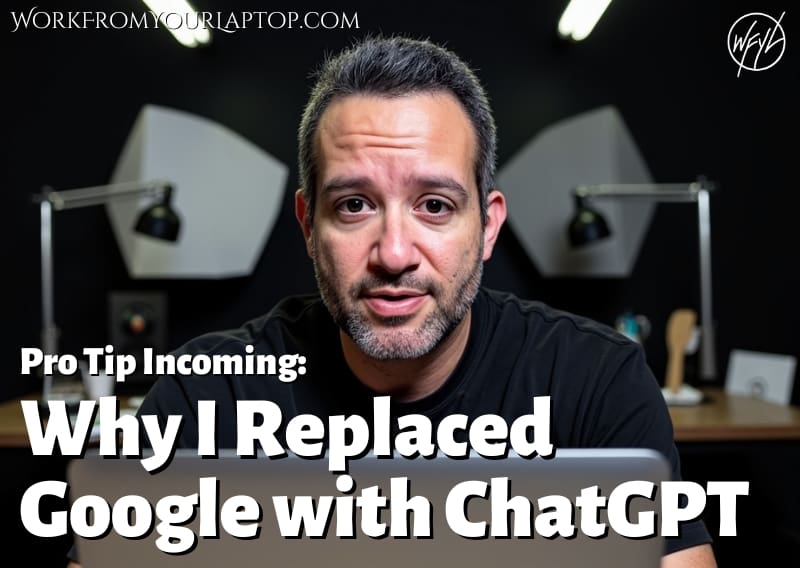
Why I Replaced Google With ChatGPT (And You Should Too)

Why I Replaced Google With ChatGPT and Why You Should Too

Most people still use Google by default. It’s familiar, it’s fast, and we’ve all been trained to just type in a question and skim through the results. But here’s the thing. Google gives you links, ChatGPT gives you answers.

Not just any answers either. Your answers. Answers that match the way you think, work, and create. Once I realized that, there was no going back.

This article dives into how I actually use ChatGPT daily to run my content business. and how it’s become way more than a shortcut. It’s become my assistant, my strategist, and my creative sounding board all in one.

TL;DR: Who Wins in ChatGPT vs Google?

For content creators, ChatGPT isn’t just better than Google: it’s smarter. It learns how you work, remembers your style, and gives full, personalized workflows instead of scattered search results.

  • ChatGPT adapts to how I work, Google doesn’t. ChatGPT tailors its responses to my style, tone, and content flow so I’m not starting from scratch every time.
  • ChatGPT remembers what matters. From my brand colors to my workflow structure, it holds onto the details that make my process faster.
  • ChatGPT saves hours every week. I get full blog outlines, video scripts, and tweet threads in my voice, no piecing together search results.
  • ChatGPT helps me build momentum. Instead of scattered research, I get personalized systems that compound with every piece of content I create.
  • ChatGPT collaborates like a team member. This isn’t just a tool, it thinks with me, helps me improve, and grows alongside my business.
🔍 Have ChatGPT Summarize This Article

What’s In This Article (Quick Jumps)

  • How I Use ChatGPT to Replace Google in My Workflow
  • It Doesn’t Just Respond: It Remembers
  • How ChatGPT Became the Backbone of My Content Workflow
  • Final Thoughts
  • Frequently Asked Questions


How I Use ChatGPT to Replace Google in My Workflow

Google is great at handing you a list of links. But if you’re trying to create something. a blog post, a YouTube script, a tweet thread, a full-on funnel. that list of links still requires you to piece everything together. You’re still the one doing the thinking, comparing, organizing, translating.

ChatGPT doesn’t work like that. I type in a prompt and get something that already sounds like me. And that’s just the start.

I’ve asked it things like:

  • “What are my two brand colors again?” It answered with my exact hex codes, and told me what I typically use each one for.
  • “What’s my next step after publishing a blog post?” and it didn’t just give me some generic checklist. it walked me through my own system: Quick Read, video script, YouTube post, tweet thread, carousel idea, internal links, and so on.

But I’ve gone even further with it.

These days, I’ll say:

  • “Build a rough content calendar for next week based on the topics I’ve already published.”
  • “What topics haven’t I covered yet that would complement my last three posts?”
  • “Write an intro hook that matches my tone and references my fire shift.”
  • “Give me 3 Instagram carousel ideas using my latest Quick Read article.”

It’s not about replacing creativity. I still choose the direction. But ChatGPT helps me get there in half the time without sacrificing my voice.

Related article:Check out my full guide on how to create the perfect prompt for GPT-5!


It Doesn’t Just Respond, It Remembers

“Wait. it remembers you?” Yep.

ChatGPT knows I’m a firefighter on a 24/48 shift. It remembers I recently promoted to Captain. It remembers my mostly pescatarian diet. It remembers my dog’s names. This is a whole new ballpark compared to Google.

And when I ask it for help, it doesn’t ask me to reintroduce myself every time. it picks up right where we left off. The more I interact with it, the better it gets at helping me think through what I’m building. That’s the difference.

When I’m scripting a video, it’ll automatically apply the same tone, sentence rhythm, and CTA style I use without me prompting it. When I ask it to help with a tweet thread, it suggests angles based on what I’ve already said in the video.

It’s like having that perfect assistant who actually listens, remembers your quirks, and makes helpful suggestions without stepping on your toes.

I’ve also had it:

  • Rework older scripts into updated, tighter formats that match how I speak now
  • Help brainstorm ideas for new toolkits and bonuses for my high-converting lead magnets
  • Remind me about posts I should link to or topics I should revisit

From content prompts to publishing workflows, I’ve built out full systems using GPT. Wanna learn how to do that? I broke it all down in detail right here.

And see, Google can’t do that. Google can’t learn you.

Related article: Check out my review of a platform that promises to help you build an AI business that runs on autopilot. Is this legit?


How ChatGPT Became the Backbone of My Content Workflow

This is where things get really exciting. Because once you realize ChatGPT isn’t just for answering questions but for helping you build your system, everything clicks.

Here’s what I mean:

  • I start with a rough idea (from a video, an article, or even a tweet)
  • ChatGPT helps me shape it into a blog outline, a YouTube script, or both
  • From there, it creates the Quick Read summary and teaser tweets (I sure am mentioning Quick Reads a lot for something I’m about to ditch right?)
  • Then I generate a pinned comment, YouTube description, and CTA language
  • It even tracks what articles I’ve internally linked to recently so I’m not repeating the same few again and again

And this is all just with a few prompts. It remembers my format: video first, article second. It knows my structure: answer paragraph, TOC, embedded video, full H2 breakdown, TL;DR before Final Thoughts.

And when you start combining it with top AI tools for content creation, it’s like having a full production crew behind you.

I’m not having to make new decisions every time. We’re building momentum.

And now, when I’m planning out a week’s worth of content, I’m not working from scratch. I’m doubling down on what already works with a helper that doesn’t forget what I said last week.

It’s part of a bigger shift happening in how creators work, and this deep dive into how generative AI is transforming creative work shows exactly why that matters.

Related article: Are you optimizing your content for AI search? If you’re not already, it’s time to get with the times. Check out “Generative Engine Optimization: How to Optimize for AI Search”.

Trying to make money online and still not seeing results? Create your FREE STARTER ACCOUNT with the same straightforward training I’ve used to create full time revenue online. No matter your experience, this step by step training delivers! Click here and get started NOW!


Final Thoughts

For content creation, for workflow, for strategy. ChatGPT gets me. Google never did. When I’m working, I don’t want to search. I want to build. And this thing helps me build faster, cleaner, and more aligned with how I work. Once you get a taste of that, it’s tough to go back.


Frequently Asked Questions

Is ChatGPT better than Google for content creators?
Yes. Especially if you’re building systems, creating content at scale, or want tools that actually adapt to you instead of giving you scattered results.

Can ChatGPT remember past prompts and preferences?
Yes, if you’ve enabled memory. It remembers tone, structure, workflows, and even things like content formats and branding preferences.

What can I use ChatGPT for in my content business?
Everything from idea generation to full content calendars. I use it for blog posts, YouTube scripts, tweets, affiliate structure planning, toolkits, Quick Reads. and more every week.


Want More From AI & Automation?


  • AI Vs Human Writers: Who Writes Better Content?

    AI Vs Human Writers: Who Writes Better Content?
  • how to write the perfect chatGPT 5 Prompt
    How to Write the Perfect ChatGPT-5 Prompt

  • How I Use ChatGPT to Get More Traffic to My Blog
    How I Use ChatGPT to Get More Traffic From My Existing Blog Posts

  • Why I Replaced Google With ChatGPT and Why You Should Too
    Why I Replaced Google With ChatGPT (And You Should Too)
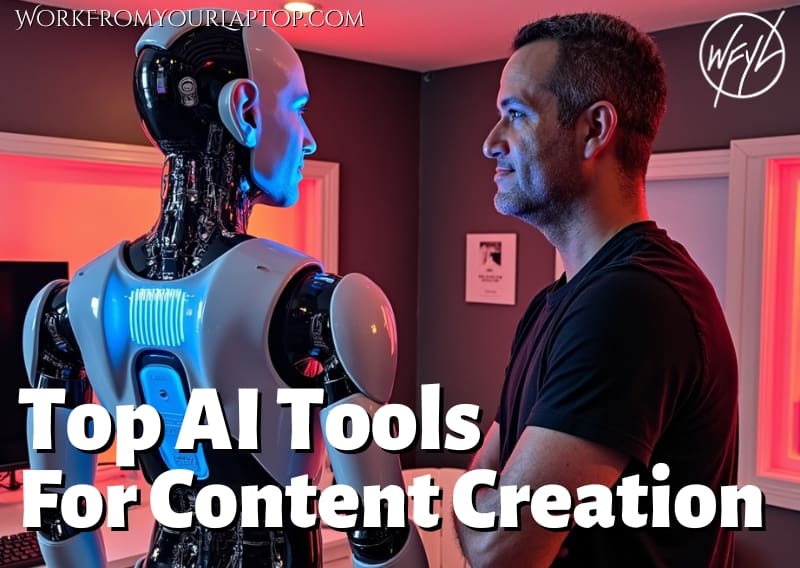
  • Top AI Tools for Content Creation
    Top 10 AI Content Creation Tools in 2025: Honest Reviews from Real Users
  • How I Use ChatGPT for Content Creation and SEO
    How I Use ChatGPT to Automate Content Creation, SEO, and Affiliate Marketing

Written by Eric Cantu · Categorized: AI & Automation Tools

May 22 2025

UpGrow App Review: Instagram Growth or Just Another Ghost-Follower Trap?

UpGrow App review

Ok, let’s talk about UpGrow. If you’ve been hunting for that magical Instagram growth tool that finally gives you real followers without 100% wrecking your engagement, then you’ve definitely stumbled across UpGrow’s ads. I did too. The promises are juicy: real followers, smart AI targeting, no bots, no BS.

But is that what you actually get?

TL;DR Why You Should Stay Away From UpGrow App

UpGrow promises organic Instagram growth, but real-world results point to fake followers, billing headaches, and ghost engagement, making it feel more like a slick scam than a legit tool. Unfortunately this is the truth with most all growth tools.

  • Good Start, Bad Finish: Early growth seemed promising, but follower quality dropped fast.
  • Fake Followers Galore: Over 40% of new followers were ghost accounts or from untargeted countries.
  • Engagement Rates Tanked: More followers didn’t mean more real interaction, It was quite the opposite.
  • Cancellation is a Hassle: No easy opt-out; you’re forced to book a call and deal with upselling.
  • Pricing Discrepancies: Users report surprise charges and billing issues.
  • Better Tools Exist: Platforms like Flick and Later are more transparent and effective long-term.
🔍 Have ChatGPT Summarize This Article

What Is UpGrow Supposed to Do?


upgrow app review screenshot

Website: upgrow.com

UpGrow markets itself as an AI-powered Instagram growth service. You don’t have to buy followers, spam DMs, or join any weird engagement pods. Instead, they say their platform helps you grow naturally by targeting real people based on interests, locations, hashtags, gender, and age.

Honestly, that’s at least a new spin on growth services right?


How Much Does UpGrow Cost?


upgrow app review screenshot

They offer three plans:

  • Basic: $69/month — promises 1,000–2,000 real followers per month
  • Pro: $99/month — promises 2,500–3,500+ real followers per month
  • Turbo: $129/month — promises 3,500–5,000+ real followers per month

All plans are currently offered at a limited-time discount (original pricing was higher).

Core features include:

  • AI-powered growth engine
  • Smart auto-targeting (location, age, gender, language, interests, hashtags)
  • AI profile optimization
  • 24/7 real-time growth analytics
  • UpGrow Boost™ feature
  • Viral content library
  • PDF growth reports
  • Dedicated campaign manager (Turbo plan only)

It all sounds great on paper, right? Well, except for the promise of followers. This is a major red flag. Smart growth without shady tactics CANNOT guarantee specific amounts of followers. EVER..

So, unfortunately, and predictably, here’s what happened.

Related article: Check out this growth service that doesn’t use the obvious bots UpGrow does, but is still a bit murky as far as effectiveness: GoViralish Review – Scam or Legit?


The First Month Looked Promising

When I signed up, I was greeted by a clean dashboard and a pretty helpful onboarding system. I liked that they asked specific questions about who I wanted to target.

They also gave me the option to speak with a campaign manager on the phone: MAJOR red flag. Speaking to any kind of “coach” or “manager” on the phone of all things is almost ALWAYS an upsell tactic.. I opted to try out the mid-tier Pro plan at $99/month.

At first, things were smooth. I saw about 30–50 new followers roll in per day. The likes ticked up. Comments too. These were mostly real accounts like other creators, small business owners, and travel fans (my niche). I thought, okay, maybe this different take on growth strategy is legit?

New new online business scams?

Check out my article on “Online Coaching Business Scams” and get trained on how to spot the very predictable upsell tactics laid out by so many online platforms!


But Then, Of Course, the Predictable Thing Happened

By week three, my follower growth was still decent, but my engagement rate started to drop. Bad sign.

I dug a little deeper and realized a lot of my new followers had no posts, no profile pics, and were following 3,000+ accounts. Translation? Likely fake or super low-quality followers.

I ran a quick audit with a third-party tool and found that over 40% of my “growth” was either ghost followers or accounts based in totally irrelevant regions — like 500 accounts from Bangladesh when I was only targeting U.S. users.

We were so close.

But no, yet another scammy social media growth scheme filled with bots and fake followers. And more red flags were to follow.


Trying to Cancel Was a Headache

Now here’s the part that started pissing me off: canceling.

You can’t just go into your dashboard and click “cancel.” This is so, so, so annoying.

You have to contact support. There’s no cancel button either. Instead, you’re funneled into emailing or chatting with support to request cancellation, which ends up with you frustrated and in the middle of delayed responses and more upselling attempts.

After a full week and multiple emails later, my subscription was finally canceled. But by then, I’d already been charged for the next cycle. Total trash move that they ultimately refunded after I told them I couldn’t wait to trash them in a review.

That being said, I’m not going to just trash UpGrow.


UpGrow App Testimonials

It’s not all negative reviews for Upgrow app. But, as I’ve said before, with growth platforms that promise a specific amount of followers per month, how are you guaranteeing that without using bots? It’s literally impossible.

I always do my best to scour the forums like Reddit, Quora, and YouTube to get well rounded data. But take these positive reviews with a grain of salt.

✅ UpGrow App Positive Reviews

  • “Got the annual plan and never looked back! 10/10”
    “Over 3 months, my account grew from 21 followers to 1,500+. They’re real people interested in my content; not bots.”— Jack S., Capterra
  • “My experience using UpGrow”
    “Strong niche-based growth on all our client accounts for the past 6+ months and easy to track everything from one dashboard.”— Anton C., Capterra
  • “UpGrow is by far the best”
    “They really deliver on their promise of real, organic growth, and I’ve seen a significant increase in engagement.”— UpGrow Reviews Page
  • “Responsive Customer Service”
    “The most positive aspect of UpGrow is their customer service. They always reply immediately and are very helpful.”— GetApp Review
  • “Effective AI-Powered Targeting”
    “UpGrow’s AI-powered targeting ensures that you’re not just gaining random followers but people who might be interested in your content.”— Skillademia
  • “Safe and Compliant Growth Strategies”
    “UpGrow prioritizes safety so that you can confidently grow your account on Instagram without any concerns about jeopardizing your online presence.”— Ziddu

Be honest, do those sound like authentic testimonials to you? Now for the much more real sounding testimonials.

❌ UpGrow App Complaints

The forums were filled with UpGrow complaints. Reddit, Quora, you name it. And they all mirror my predictable experience with online social media growth tools.

  • “It’s a scam!”
    “Used for three months. The service promises 1,500 to 3,000 followers per month but I only got 350 on average, and it’s all fake followers!”— Reddit User
  • “All fake followers”
    “They say they’ll get you real followers but all they will send you is fake followers.”— Reddit User
  • “Cancellation Difficulties”
    “There is no way to cancel the subscription on their website. You can only contact customer service, which is unresponsive.”— Reddit User
  • “Unauthorized Charges”
    “I signed up for one month at $65. The next month I got charged $199. Total fraud.”— Reddit User
  • “Misrepresentation Issues”
    “UpGrow.com used our names and photos without permission. We’ve received messages from people thinking we are them, which we are not.”— Danny Ng, Co-founder of UpGrow.io
  • “Followers from Unwanted Regions”
    “We wanted to expand our follower base in the United States, but we’ve experienced a significant increase in followers from Bangladesh.”— Reddit User
  • “Fake Followers Hurting Engagement”
    “All my new followers were private accounts created last month. Total garbage. Now I’m wasting time removing these accounts.”— Reddit User
  • “Unresponsive Support”
    “They do not answer calls or emails to their site and have debited almost $400 without permission.”— Reddit User
  • “Overpromised and Underdelivered”
    “We only received 1,027 followers of the ‘3,500 – 5,000+ Real Followers /mo’ in their Turbo Plan.”— Eric V., Capterra
  • “AI Not Effective”
    “The result was just not there; support to get to the objective was not in place.”— Capterra Review

What’s worse is that there were creators saying UpGrow used their name or face in marketing without permission. Not cool.


So, Is It a Scam?

We have to look at this from a TECHNICAL standpoint. You’re paying for followers, and yes, you’re getting followers. But the quality of followers nosedives fast, and the way they handle billing is shady as hell.

If you’re serious about growing your Instagram organically, you’re better off learning how to build real engagement through content, hashtags, and collaborations.

UpGrow might work short-term, but it can wreck your engagement metrics long-term, which makes it MUCH harder for your content to show up on the explore page or even in your own followers’ feeds.

Don’t just take my word for it: Fake followers are really bad for your engagement.


Better Alternatives?

If you’re going to spend $99/month, you’re better off putting that into promoted posts with strong targeting or working with a coach who can help you with a long-term strategy.

Tools like Later, Flick, and Metricool give you analytics and scheduler tools without pretending to magically grow your following overnight.

Always stay away from social media growth tools that promise any kind of range of followers per month!

There are legitimate ways to grow on social media. Check out my guide on affiliate marketing strategies to grow your social media and build your social media platforms the right way!

Trying to make money online and still not seeing results? Create your FREE STARTER ACCOUNT with the same straightforward training I’ve used to create full time revenue online. No matter your experience, this step by step training delivers! Click here and get started NOW!


Final Thoughts

UpGrow talks a big game with AI and organic growth, but in reality, it delivers inflated numbers, ghost engagement, and shady billing practices. It’s not a platform I can stand behind.

What do you think? Have you ever tried an Instagram growth service like this? Was it legit or just another overpriced ghost follower machine? Drop your experience in the comments! I’d love to hear how it went for you and I always respond!


Frequently Asked Questions

Is UpGrow safe to use for Instagram growth?
UpGrow doesn’t violate Instagram’s terms outright, but the low-quality followers and engagement it generates can damage your account’s reach over time.

How much does UpGrow cost per month?
UpGrow offers three pricing tiers: Basic ($65/month), Pro ($99/month), and Turbo ($199/month). Most complaints stem from surprise billing and automatic renewals.

Can UpGrow actually deliver real followers?
Some initial followers may seem legit, but many users report ghost followers, fake accounts, or irrelevant demographics — especially after the first few weeks.


Want More Honest Reviews?


  • Wordform AI review
    Wordform AI Review: What They Don’t Tell You About the $67 Price
  • Cash Tracking System Scam Review
    7 Red Flags That Prove Cash Tracking System Is a Scam
  • Keala Kanae Power Code Masterclass review scam
    Keala Kanae’s Power Code Masterclass Review: The Free Bait Before the $29K Hook
  • Genesis by Inspirean Keala Kanae Scam or Legit Review
    7 Reasons Why Keala Kanae’s Genesis by Inspirean Is a Bad Idea – Honest Review
  • 7 figure accelerator review
    7 Figure Accelerator Review
  • Mastermind.com Review
    Mastermind.com Review: Scam or the Ultimate Knowledge Business Tool?

Written by Eric Cantu · Categorized: Reviews & Comparisons

May 20 2025

Attraction Marketing Formula Review (2025): Legit or Just Another MLM Trap?

Attraction Marketing Formula Review

Let me start with this: I’ve seen a lot of overhyped “marketing systems” online. If you’ve ever been lured in by the promise of passive income or a laptop lifestyle, with flashy guru telling their scripted success stories, and a “secret formula” that’s locked behind a paywall, then you know exactly what I’m talking about.

Attraction Marketing Formula (AMF) by Elite Marketing Pro feels like exactly that kind of product. But I went ahead and dug deep to see what this thing actually offers to see what’s behind the flashy claims, and whether it’s worth your time or just another funnel to upsells and disappointment.

Is Attraction Marketing Formula by Elite Marketing Pro Legit?

Attraction Marketing Formula offers basic lead generation strategies, but it’s primarily a funnel into overpriced upsells and MLM-style recruiting—not a sustainable or independent business model.


TL;DR Why You Should Avoid Attraction Marketing Formula

  • Basic value at the front, but it’s a bait-and-switch. AMF gives you surface-level training upfront, then pivots hard into high-ticket upsells.
  • Coaches aren’t really coaches. They’re affiliate sales reps pushing you to spend thousands more inside the Elite Marketing Pro system.
  • Legit attraction marketing? Not really. The course covers old-school basics, but there’s little depth or strategic support.
  • Feels more like an MLM than a business model. You’re taught to promote the same system you just bought into.
  • Refunds are tough and support is lacking. Once you’re in, good luck getting out or getting your money back.
  • There are better ways to learn online marketing. Skip the hype and start with affiliate marketing skills you can actually use.

What Is Attraction Marketing Formula?

At its core, Attraction Marketing Formula is a digital training course that teaches you how to “attract” leads instead of chasing them down. It’s heavily focused on social media prospecting, personal branding, and building funnels.

Sounds great in theory, right? Who doesn’t want leads to come to them?

But what they don’t tell you upfront is that Attraction Marketing Formula is more of an entry-point to a larger, more expensive ecosystem platform in Elite Marketing Pro, which operates with a high-ticket MLM-style upsell model. Many buyers don’t realize until after they’ve paid that AMF is just the appetizer.


The Hype vs. The Reality

Let’s talk about the sales funnel.

You buy Attraction Marketing Formula thinking you’re getting a full-blown attraction marketing system. What you actually get is a PDF guide, a few video modules, and a “coach” that quickly pivots the conversation to pushing their premium mentorship programs—some of which cost thousands of dollars.

“I wish I had read some of these reviews before I wasted $7,500 on them.” — Reddit (r/antiMLM)

And the “coach”? Often just another affiliate trying to get you into a higher-tier program so they earn a commission.

If you’ve ever been pitched by someone who calls themselves a coach but whose real goal is to sell you another product… you already know the vibe. This is one of the most common online coaching business scam tactics used to upsell you.


What You Actually Get With Attraction Marketing Formula

For the base-level purchase (usually around $47), you’ll receive:

  • A downloadable PDF “formula” guide
  • A short video training series
  • Limited access to the Elite Marketing Pro community
  • An onboarding call (read: upsell pitch)

It covers basics like:

  • How to post value-based content on social
  • Building a personal brand
  • Capturing leads with a simple funnel
  • Following up via email

The information isn’t wrong—it’s just painfully basic. If you’ve ever watched a free YouTube video about affiliate marketing or read a blog post on how funnels work, you’ve probably already encountered everything in AMF.

“The content was basic and didn’t offer anything new for experienced marketers.” — YouTube Comment


Where Things Get Sketchy

Once you’re in the system, you’re assigned a “coach” whose primary goal seems to be upselling you to Elite Marketing Pro’s higher-ticket offers. Some users report being encouraged to invest $2,000–$5,000 into coaching programs, traffic packages, or premium access.

“The problem is the same in all these complaints. People sign up, get assigned a ‘coach’ and then are asked to invest more and more money into the scheme.”

And refunds? Don’t count on them. The refund policy is narrow and has left more than a few customers frustrated.

“The refund policy is restrictive and not customer-friendly.” — BBB Review

This is where the experience shifts from “this could be helpful” to “why does this feel like a recruiting trap?”

Related article: See how this compares to well known guru Alex Hormozi and his systems in my full guide here!


It’s Giving MLM Energy

Let’s call it what it is: Attraction Marketing Formula and Elite Marketing Pro feel like the modern digital equivalent of MLM recruiting.

  • You’re encouraged to promote the very system you just joined.
  • You earn commissions by getting other people to buy the same funnel.
  • And the success stories? Many come from affiliates who made their money by reselling Elite Marketing Pro—not by using the actual “formula” to build independent businesses.

“Yes this is another scam just like all MLMs.” — Reddit

If you were hoping for a duplicatable business model that teaches you how to promote any offer (like a legit course or product), this ain’t it.


Attraction Marketing Formula Pricing Breakdown

Here’s what you’re actually looking at if you get pulled into the full system:

  • Attraction Marketing Formula PDF: $47 (entry point)
  • Elite Marketing Pro Accelerator or Mentorship: $2,000 – $7,500+ (upsells)
  • Coaching/Traffic Programs: Custom, often high-ticket

And for what? Basic info you can learn for free and a bunch of pressure to recruit others into the same funnel.


A Much Better Alternative: Affiliate Marketing Without the Hype

Here’s the truth: attraction marketing as a concept does work. But you don’t need to pay thousands for it.

What works better is learning real affiliate marketing skills:

  • Build your own brand
  • Promote products you actually believe in
  • Create content that serves a real audience
  • Use tools like email automation, SEO, and paid ads—without the pressure to “recruit” people

There are legit training platforms that teach you this (many of which aren’t even close to $7,500). You can actually build a sustainable affiliate income without being part of someone else’s pyramid.

If the real goal is freedom, in my humble opinion chasing any MLM-style structure isn’t the way. It’s just not sustainable.


Final Thoughts

If you’re brand new and $47 feels like a low-risk investment, Attraction Marketing Formula might give you a small spark to get interested in digital marketing. But if you’re expecting a complete system, a high-quality course, or real mentorship, then you’re going to be disappointed.

And once the upsells start? It’s a slippery slope.

“I was disappointed with the lack of personalized support… and the pressure to invest more.” — BBB Complaint

Save your money. Learn the skills. Skip the funnel.

What do you think? Do you have an experience you’d like to share about Attraction Marketing Formula? Are you one of its success stories? Share your experience down below in the comments! I’m always eager to hear your perspective and I always reply!

Trying to make money online and still not seeing results? Create your FREE STARTER ACCOUNT with the same straightforward training I’ve used to create full time revenue online. No matter your experience, this step by step training delivers! Click here and get started NOW!


Frequently Asked Questions

Is Attraction Marketing Formula a scam or legit marketing program?
Attraction Marketing Formula isn’t a total scam, but it heavily relies on misleading sales tactics and upsells into high-ticket programs. Most of its value is in teaching you how to sell the same system to others, which leans into MLM territory.

How much does Attraction Marketing Formula actually cost?
The entry price is $47, but once inside, users are often encouraged to spend $2,000–$7,500 or more on mentorship programs and traffic packages. Many buyers don’t realize the full cost until they’re deep in the funnel.

What are better alternatives to Attraction Marketing Formula for learning digital marketing?
Instead of joining a high-ticket recruiting funnel, you’re better off learning affiliate marketing, SEO, and email list-building from independent platforms. These skills give you full control and don’t require you to recruit others to succeed.


Want More Honest Reviews?

  • Wordform AI review
    Wordform AI Review: What They Don’t Tell You About the $67 Price
  • Cash Tracking System Scam Review
    7 Red Flags That Prove Cash Tracking System Is a Scam
  • Keala Kanae Power Code Masterclass review scam
    Keala Kanae’s Power Code Masterclass Review: The Free Bait Before the $29K Hook
  • Genesis by Inspirean Keala Kanae Scam or Legit Review
    7 Reasons Why Keala Kanae’s Genesis by Inspirean Is a Bad Idea – Honest Review
  • 7 figure accelerator review
    7 Figure Accelerator Review
  • Mastermind.com Review
    Mastermind.com Review: Scam or the Ultimate Knowledge Business Tool?

Written by Eric Cantu · Categorized: Reviews & Comparisons

May 19 2025

Top 10 AI Content Creation Tools in 2025: Honest Reviews from Real Users

Top AI Tools for Content Creation

AI tools for content creation are evolving so fast it’s hard to keep up. But not every tool is created equal. I spent the last few weeks diving deep into the most talked-about platforms, reading through Reddit threads, Quora questions, YouTube comments, and user forums to find out what real people actually think about these tools.

This is my ultimate guide to you based on actual feedback. Whether you’re a blogger, YouTuber, freelance writer, or social media manager, this list will help you figure out which AI tools are worth your time in 2025.

One AI tool I left on this list that I use every single day is ChatGPT. That’s because I consider it like it’s a PART OF ME. Seriously. If you’re not using GPT, you’re nuts. Here’s a great article on how I’ve completely replaced Google with it.

Now, on to the rest of the list.

TL;DR: What Are the Best AI Tools for Content Creation in 2025?

In 2025, content creators lean on tools like Descript, Jasper, Grammarly, Canva AI, and Surfer SEO to streamline their workflow, sharpen output, and stay competitive. Each has a standout strength, but they’re not the only players worth exploring.

  • Other solid AI tools include Pictory, Lumen5, Synthesia, Copy.ai, and Writesonic, each built for a specific purpose—whether it’s turning blog posts into videos or cranking out ad copy fast.
  • Pictory makes repurposing content easy, converting text into video with AI voiceovers, though timing often needs a manual touch.
  • Lumen5 automates blog-to-video creation smoothly, but its customization features are limited unless you’re on a premium plan.
  • Synthesia lets you generate avatar-led videos without filming, ideal for demos or training, though the avatars still feel a bit robotic.
  • Writesonic and Copy.ai are great for short-form content, but both require editing when used for long-form or technical topics.
🔍 Have ChatGPT Summarize This Article

What’s In This Article? (Quick Jumps)

  • Descript
  • Jasper AI
  • copy.ai
  • Grammarly
  • Canva
  • Surfer SEO
  • Pictory
  • Lumen5
  • Synthesia
  • Writesonic
  • Final Thoughts
  • Frequently Asked Questions

Descript: The Podcaster’s Dream, the Editor’s Quirky Cousin


descript logo

Website: descript.com
Check out my full Descript review here

Features

  • Audio and video transcription
  • Text-based editing
  • Multitrack audio/video editing
  • Screen recording
  • Overdub (AI voice cloning)
  • Filler word and silence removal

Descript is a versatile content creation tool built around the idea that editing video and audio should be as easy as editing a document. You upload your file, and it auto-generates a transcript that’s directly tied to the video timeline. Delete a sentence from the transcript, and it’s gone from the video. Want to clean up the “ums” and awkward pauses? Descript’s AI takes care of it in one click.

Overdub is one of the most powerful tools: it lets you clone your voice using a short training script. You can then generate synthetic voice recordings in your own voice just by typing, which is a huge time-saver for corrections and edits.

It also supports multitrack editing for podcast or video teams, and its screen recording feature makes it great for tutorials.

Best for: Podcasters, video editors, solo creators, and content marketers who want fast, text-based editing without traditional timelines

Pricing

  • Free: 1 hour transcription/month, watermark on exports
  • Hobbyist: $12/month (billed annually)
  • Creator: $24/month (billed annually)
  • Pro & Enterprise: Custom pricing for teams needing more seats and branding support

Pros & Cons

“We’ve used Descript for a year now and pay $20/mo, which is great for what it does.” — u/DeadlinePending

The speed and ease of editing are major wins. It’s built for podcasters, YouTubers, and solo creators who want to get professional results without a steep learning curve.

“Descript feels more like a prototype than a polished tool. Basic features are buggy.” — Reddit

That said, users have called out bugs, especially in larger or more complex editing projects. Export quality is another common complaint, with noticeable compression in some video outputs.


Jasper AI: Speedy But Pricey Copywriter


jasper logo

Website: jasper.ai

Features

  • Long-form content generation
  • Brand voice integration
  • AI-assisted workflows for teams
  • Templates for ads, emails, blogs, and website content
  • SEO mode and multilingual support

Jasper AI is a powerhouse when it comes to content at scale. It’s built for marketers and businesses that need consistent, on-brand copy. Users can train the AI with their brand voice to generate marketing content that stays true to tone and style. The platform includes dozens of templates—from social media captions to blog intros—and even supports multiple languages.

Its SEO mode helps you craft content that aligns with your keyword strategy, and the long-form assistant can be used to draft articles or sales pages quickly with minimal prompting.

Best for: Marketing teams, freelancers, brand copywriters

Pricing

  • Creator Plan: $49/month — includes 1 brand voice, 1 user seat, and access to 50+ templates
  • Teams Plan: $125/month — includes 3 brand voices, collaboration tools, SEO mode, and priority support
  • Business Plan: Custom pricing for advanced needs and additional users

Pros & Cons

“It’s helped me pump out content way faster. Looks human-written too.” — u/lexus250beast

Jasper is excellent for content teams who need speed and consistency. The brand voice feature is a standout, allowing you to maintain a consistent tone across all outputs.

“Biggest con is the price. And the interface? A bit much.” — Reddit

The pricing can be a hurdle for freelancers or solopreneurs, and the dashboard’s feature-rich layout might feel overwhelming to first-time users.


Copy.ai: Fast, Focused Short-Form Generator


copy ai logo

Website: copy.ai

Features

  • AI-powered copywriting templates for ads, emails, headlines, and social posts
  • Blog post wizard and long-form content support
  • Built-in brand voice and tone customization
  • Project folders and collaboration tools

Copy.ai is all about fast, focused content. It shines when you need snappy headlines, ad copy, email intros, or social captions. The platform features dozens of templates that can generate content with just a few inputs. You can fine-tune the tone and voice to match your brand, and its intuitive dashboard makes it accessible even to beginners.

For longer content like blog posts, Copy.ai includes a guided workflow, but the output often requires heavy editing to get it reader-ready. It’s great for short-form use cases but not as strong when you’re aiming for depth or storytelling.

Best for: Ecommerce stores, solo marketers, small agencies

Pricing

  • Free Plan: 2,000 words/month, limited templates and tools
  • Pro Plan: $49/month (or $36/month billed annually), unlimited words and all features
  • Enterprise: Custom pricing with team collaboration and dedicated support

Pros & Cons

“They work well for short copy. I use them all the time for social posts at work.” — Reddit

Copy.ai is a quick-win tool for marketers who need simple content fast. The templates save time, and the copy feels surprisingly human with minimal input.

“They start to make little sense and the writing doesn’t flow.” — Reddit

That said, the platform struggles with long-form coherence. Articles can read robotic without a lot of post-editing, which makes it less ideal for in-depth blogging.


Grammarly: The Undefeated Editor


Grammarly logo

Website: grammarly.com

Features

  • Real-time grammar and spell checking
  • Tone and clarity suggestions
  • Plagiarism detection
  • AI writing assistant (beta)
  • Integrated browser extension and desktop apps

Grammarly remains the gold standard for polishing writing. It provides real-time feedback on grammar, punctuation, and clarity, along with AI-driven tone suggestions that help make your writing more natural and engaging. Its interface is clean and easy to use, whether you’re writing inside Google Docs, Outlook, or Grammarly’s own editor.

The AI writing assistant can now help rephrase sentences and generate variations, adding light generative AI capabilities to an already robust toolset. It’s not built for creating content from scratch, but it’s one of the best at cleaning things up.

Best for: Writers, students, editors, professionals

Pricing

  • Free Plan: Grammar and spelling checks, conciseness suggestions
  • Premium: $12/month (billed annually) or $30/month (billed monthly) — includes tone adjustments, full-sentence rewrites, and plagiarism detection
  • Business: $15/user/month — includes team management, analytics, and style guides

Pros & Cons

“So much better than built-in spellcheckers. Catches way more.” — Reddit

Grammarly is an essential tool for writers who want to ensure clarity and correctness. The tone detector and rewrite suggestions are helpful for improving flow.

“Most of the suggestions were very robotic.” — Reddit

However, tone suggestions don’t always hit the mark, and advanced grammar edits can occasionally feel unnatural or overly formal.

Related article: Check out my review on a platform that promises to help you use AI tools and build a business on autopilot. Is this really legit?


Canva AI: Design + AI Writing in One Tool


Canva logo

Website: canva.com

Features

  • Magic Write (AI text generation)
  • Magic Design and Magic Edit tools
  • Drag-and-drop visual content creation
  • Brand kits, templates, and stock asset library
  • Team collaboration and scheduling tools

Canva has grown beyond being just a design tool. With Magic Write, you can now generate marketing copy, blog intros, product descriptions, and more. Magic Design lets users input a prompt or upload an image, and Canva instantly builds an entire design layout around it.

Magic Edit allows you to alter visual elements inside images using prompts (think remove an object or change colors). It’s become a one-stop shop for creators who want fast, branded content without hiring a designer or copywriter.

Best for: Content creators, brand designers, social media managers

Pricing

  • Free Plan: Access to basic templates, Magic Write (limited uses), and 5GB cloud storage
  • Pro Plan: $12.99/month for individuals — includes Magic tools, brand kits, premium templates, and 100GB storage
  • Teams Plan: $14.99/month for up to 5 users — includes workflows, approval systems, and shared team folders

Pros & Cons

“I use the background remover often. Magic Expand is great when it works.” — Reddit

Canva is perfect for creators who want to streamline both design and copy. It’s intuitive, and the AI tools are surprisingly effective for quick tasks.

“Magic Write tends to stray away from original content.” — Reddit

The AI outputs can sometimes feel generic, especially in long-form content, and Magic Edit occasionally misinterprets prompts. Still, for visuals + copy all in one place, Canva AI is hard to beat.

Work From Your Laptop YouTube Subscribe

Surfer SEO: Optimization for Content Pros


Surfer SEO logo

Website: surferseo.com
Check out my full Surfer SEO review here.

Features

  • Real-time on-page SEO recommendations
  • NLP keyword integration
  • Content score grading system
  • SERP analyzer and audit tool
  • AI-driven content briefs

Surfer SEO is a tool that brings SEO strategy into the writing process. As you create content, it grades your writing in real time based on keyword usage, word count, headings, and more. The content score helps you track optimization while writing, so you’re not just guessing what Google wants.

Its NLP keyword tool pulls data from top-ranking pages and suggests semantically related terms to use naturally throughout your article. Surfer also includes a SERP analyzer and audit tool, allowing you to reverse engineer competitors’ content and see what’s helping them rank.

Best for: SEO agencies, niche site builders, content ops teams

Related article: When it comes to SEO strategies, does GEO replace SEO? Check out my article on how to optimize for AI search!

Pricing

  • Essential Plan: $89–$99/month — Includes content editor, keyword research, and SERP analysis
  • Scale Plan: $219/month — Includes more content editor credits and AI tools
  • Enterprise: Custom pricing — For large teams needing content at scale and custom integrations

Pros & Cons

“Game-changer for content optimization.” — Reddit

Surfer is a powerhouse for SEO content writers. It simplifies technical optimization and helps your content compete from day one.

“It’s astrology for SEOs.” — Reddit

Some writers feel Surfer encourages keyword stuffing or prioritizing score-chasing over genuine writing. There’s a balance to strike, and it may not be for every writing style.


Pictory: Turn Text into Video


pictory logo

Website: pictory.ai

Features

  • Text-to-video transformation from blog posts, scripts, or articles
  • AI voiceover generation
  • Captioning and auto-highlighting key points
  • Stock footage and audio library
  • Video summarization and clipping

Pictory is designed for creators who want to turn long-form content into short-form video without editing software or on-camera work. Simply paste in a script or article URL, and Pictory auto-generates a video outline with visuals, voiceovers, and captions. You can select from a library of stock footage or upload your own clips, making it flexible for various styles.

It’s especially useful for repurposing blog posts into YouTube Shorts, LinkedIn clips, or Instagram Reels. The platform even allows you to extract highlight reels from longer videos for sharing across social platforms.

Best for: Content marketers, bloggers, repurposing pros

Pricing

  • Starter: $19/month — up to 30 videos/month, 10-minute limit per video
  • Professional: $39/month — up to 60 videos/month, 20-minute video limit, branding and custom templates
  • Teams: $99/month — team collaboration tools, shared workspaces, priority support

Pros & Cons

“It’s just amazing compared to Fliki and Invideo.” — Reddit

Pictory is perfect for content marketers who want to scale video output quickly. The interface is beginner-friendly and the auto-captioning feature is a big time saver.

“Do AI-created videos get penalized by YouTube?” — Reddit

However, the AI voiceovers still have that synthetic tone, and you may need to manually tweak visual timing for a polished result.

Read my full PIctory review here for a full breakdown on everything it offers.


Lumen5: Slide-In, Slide-Out Video Creation


lumen5 logo

Website: lumen5.com

Features

  • Text-to-video transformation using blog posts or scripts
  • Drag-and-drop video editor
  • AI-generated B-roll, animations, and music
  • Branded templates and themes
  • Captioning and social media aspect ratio support

Lumen5 turns blog posts and written content into animated videos in just a few clicks. The AI highlights key sentences and builds a storyboard using licensed visuals, animations, and audio tracks. You can drag and drop elements to tweak the final look or let the AI handle layout and timing automatically.

It’s especially useful for repurposing blog content into explainer-style videos for YouTube, Instagram, or LinkedIn. Lumen5 also offers brand kits and templates, so your videos stay visually consistent across platforms.

Best for: Educators, content teams, bloggers

Pricing

  • Basic Plan: $19/month — 720p videos, limited features and templates
  • Starter: $59/month — 1080p exports, custom colors and fonts, 1 user seat
  • Professional & Business: $149/month and up — includes branding tools, collaboration, premium media, and more user seats

Pros & Cons

“Great for repurposing blog posts into shorts.” — Reddit

Lumen5 excels at simplicity. It’s intuitive and saves tons of time, especially if you’re turning written content into video regularly.

“Needs work on customization and quality.” — Reddit

Customization is limited in the lower tiers, and advanced users may find the editing tools too basic. The automation can also be hit or miss depending on the input format.

Related article: Want to read about an AI writing tool I was directly asked to include on this list but I couldn’t do it with a clear conscience after my research? Check out my full guide on Wordform AI here!


Synthesia: The Avatar Factory


Synthesia logo

Website: synthesia.io

Features

  • AI-generated video from text scripts
  • Customizable avatars and multilingual support
  • Screen and slide integration
  • Template library for training and explainer videos
  • Audio editing, subtitles, and automatic scene generation

Synthesia is built for those who want to produce professional-quality videos without being on camera. You simply input your script, choose an AI avatar, and the platform generates a video where the avatar presents your message. It’s especially useful for training videos, onboarding materials, and explainer content.

You can upload your own backgrounds or slides, edit subtitles, and generate multilingual versions with native-sounding AI voices. While not perfect in tone and inflection, the avatars are steadily improving and now support dozens of languages.

Best for: Course creators, HR teams, SaaS explainers

Pricing

  • Starter Plan: $22/month — includes 10 video credits/month, access to avatars, subtitle editing, and custom backgrounds
  • Creator Plan: $67/month — includes 30+ avatars, branding tools, multiple scenes, and extended video lengths
  • Enterprise Plan: Custom pricing — for teams needing custom avatars, analytics, and bulk production

Pros & Cons

“Pretty solid, even if the avatars feel robotic.” — Reddit

Synthesia is great for professionals who need consistent, branded video content without the cost of filming. It cuts production time to hours instead of days.

“The avatars can feel a bit robotic sometimes.” — Reddit

Despite ongoing improvements, the synthetic nature of the voices and facial movements can still feel uncanny at times, especially for emotionally expressive content.


Writesonic: Budget-Friendly Jasper Alternative


writesonic logo

Website: writesonic.com

Features

  • AI content generation for blogs, ads, emails, and product descriptions
  • Chatsonic (ChatGPT-like AI assistant)
  • Landing page and website copy tools
  • AI article writer and paraphrasing tools
  • Multilingual support and API access

Writesonic is a flexible writing assistant built for creators who want quick, functional content without breaking the bank. Its dashboard includes tools for blog posts, Google ads, landing pages, and email sequences. Chatsonic acts like an AI chatbot you can prompt conversationally, and it integrates with Google search for up-to-date results.

The AI article writer can produce long-form content in just a few steps. While it’s not as nuanced or polished as Jasper, it’s plenty good for product reviews, blog intros, and quick-turnaround SEO articles. There’s also a paraphrasing tool and sentence expander to help rewrite or refine drafts.

Best for: Bloggers, affiliate marketers, budget-conscious creators

Pricing

  • Free Trial: Limited credits and features for testing
  • Basic Plan: $15/month — includes short-form content generation, AI chat, and access to templates
  • Professional Plan: $45/month — adds long-form writing, advanced AI quality, and bulk generation
  • Enterprise Plan: Custom pricing — team collaboration, white-labeling, and API usage

Pros & Cons

“Produces content 10x faster than a pro writer.” — AmbitiousInvestor.com

Writesonic is perfect for creators looking to produce lots of content without a heavy budget. It covers a wide range of content types and is very beginner-friendly.

“They’re all shit. Especially for technical writing.” — Reddit

While fast and versatile, it falls short in highly technical or specialized content. You’ll need to do a fair bit of editing to make it sound natural in those cases.

Trying to make money online and still not seeing results? Create your FREE STARTER ACCOUNT with the same straightforward training I’ve used to create full time revenue online. No matter your experience, this step by step training delivers! Click here and get started NOW!


Final Thoughts

In 2025, the smartest content creators aren’t asking which AI tool to use—they’re building workflows with the right mix. Test what works, tweak what doesn’t, and let AI do the heavy lifting.

What do you think? Which AI content creation tools do you use? Which have left you wanting more? Let me know in the comments section below! I’m always eager to hear your perspective and I always replay back!

Trying to make money online and still not seeing results? Create your FREE STARTER ACCOUNT with the same straightforward training I’ve used to create full time revenue online. No matter your experience, this step by step training delivers! Click here and get started NOW!


Frequently Asked Questions

What is the best AI content creation tool for beginners in 2025?
For beginners, Copy.ai and Canva AI are excellent starting points in 2025. Both offer user-friendly interfaces, quick content generation, and low-cost or free plans, making them ideal for creators just starting out.

Are AI content creation tools like Jasper or Writesonic worth the subscription cost?
Jasper and Writesonic are worth the investment if you’re producing content at scale. Jasper offers powerful long-form capabilities and brand voice control, while Writesonic provides affordable versatility, especially for bloggers and affiliate marketers.

How do AI tools like Surfer SEO and Grammarly improve content quality?
Surfer SEO enhances your content’s search engine optimization by suggesting relevant keywords and structure in real time. Grammarly polishes grammar, tone, and clarity, ensuring your writing is both professional and readable.


Want More Honest Reviews?

  • Wordform AI review
    Wordform AI Review: What They Don’t Tell You About the $67 Price
  • Cash Tracking System Scam Review
    7 Red Flags That Prove Cash Tracking System Is a Scam
  • Keala Kanae Power Code Masterclass review scam
    Keala Kanae’s Power Code Masterclass Review: The Free Bait Before the $29K Hook
  • Genesis by Inspirean Keala Kanae Scam or Legit Review
    7 Reasons Why Keala Kanae’s Genesis by Inspirean Is a Bad Idea – Honest Review
  • 7 figure accelerator review
    7 Figure Accelerator Review
  • Mastermind.com Review
    Mastermind.com Review: Scam or the Ultimate Knowledge Business Tool?

Written by Eric Cantu · Categorized: Essential Reads, AI & Automation Tools

May 19 2025

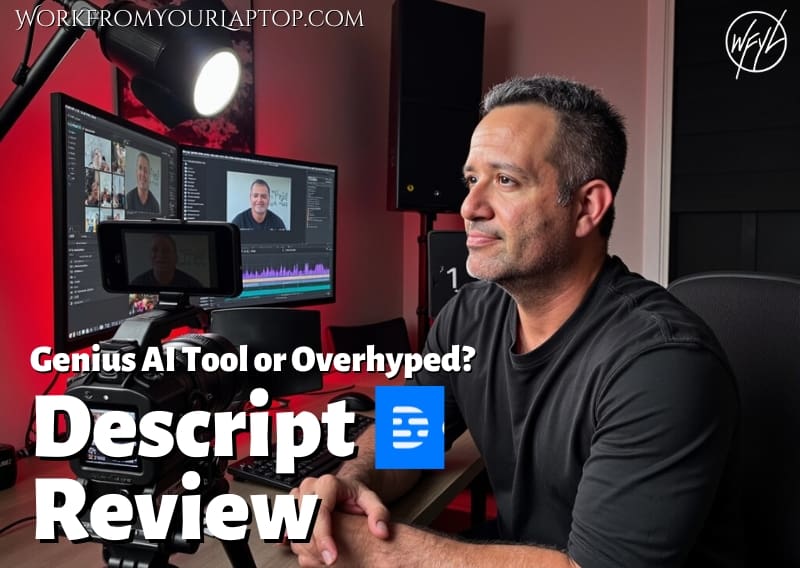
Descript Review (2025): Genius Tool or Overhyped Frustration?

If you’ve dipped your toes into podcasting, content creation, or video editing in the past year or two, you’ve definitely seen Descript pop up. People rave about it on Reddit. Others absolutely trash it. And if you’re anything like me, all you want is a tool that actually saves time without turning your workflow into a nightmare.

I’ve spent the last 60 days knee-deep in Descript. I’ve chopped up YouTube clips, and messed around with everything from Studio Sound to filler word removal. Some of it blew me away. Some of it made me want to throw my laptop out the window.

So here’s the full, brutally honest breakdown.

TL;DR Is Descript Worth Using?

Absolutely if you value fast transcript editing, podcast polish, and simple clip workflows. But if you’re expecting pro-level video editing or buttery-smooth performance, temper your expectations. Nothing is perfect.

  • Editing from a transcript is a massive time-saver — Great for beginners or those sick of timeline-based tools.
  • Studio Sound can seriously level up your audio — Especially in noisy environments or echoey rooms.
  • Overdub is powerful for light edits — Just don’t try to rewrite full scripts with it.
  • User Interface isn’t intuitive – It can be frustrating trying to figure out how to access basic features and complete simple tasks. Not impressed with the UI..
  • Not ideal for cinematic video workflows — Lacks pro video features like keyframing, effects, or precise multitrack control.
🔍 Have ChatGPT Summarize This Article

What’s In This Article? (Quick Jumps)

  • What is Descript anyway?
  • What’s Awesome About Descript
  • Where I Felt Descript Missed the Mark
  • Final Thoughts
  • Frequently Asked Questions

What Is Descript, Anyway?

Website: descript.com

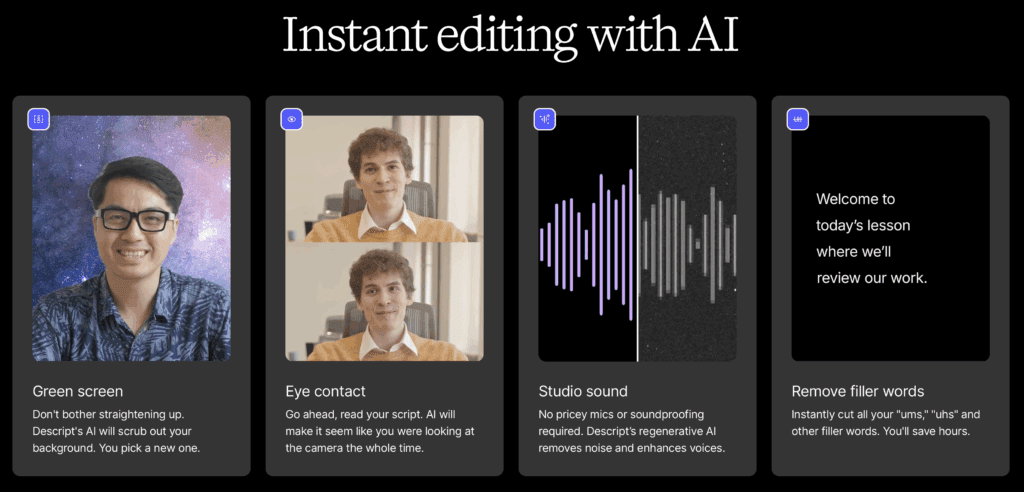
Descript is an AI-powered transcription and content editing platform that lets you edit audio and video as if you’re editing a Word doc. You record or upload your file, it transcribes it almost instantly, and from there, you can literally delete “ums,” tighten dialogue, or cut whole segments just by highlighting and pressing delete.

descript review screenshot

Its claim to fame: text-based editing that works for podcasters, YouTubers, educators, and course creators.

They also threw in features like:

  • Studio Sound (AI audio cleanup)
  • Overdub (AI voice cloning)
  • Green screen
  • Eye contact correction
  • Screen recording
  • Multitrack editing
  • Publishing and sharing tools
  • Really cool video playback templates

It’s designed to be a Swiss Army knife for content.

Related Article: Thinking about a faceless YouTube account? Check out my review of a program that promises faceless YouTube automation success.


What’s Awesome About Descript

Overall, Descript has some really cool AI and editing features that deliver.

1. Editing by Transcript = Total Gamechanger

If you’ve ever manually trimmed awkward pauses in Premiere Pro or spent 20 minutes aligning a waveform in Audacity, Descript does feel like magic. Just delete the part of the script you don’t like and Descript handles the cut.

For solo podcasters and interview shows, this feature alone can shave hours off your workflow. Seriously, why don’t all video editors do this?

2. Studio Sound Is Really Good

Studio Sound blew my mind. I recorded an episode from a hotel room with echo, distant AC noise, and paper-thin walls. Descript made it sound like I was in a proper booth. It’s not perfect, but damn it was close.

3. Overdub: Weird, Cool, and Sometimes Creepy

Overdub lets you clone your voice. Yeah, we’re in the future. I used it to replace a spot where I said “2024” instead of “2025.” I typed in “2025,” and Descript generated a version in my voice that blended almost seamlessly. Not gonna lie, it’s a little creepy how legit undetectable it is.

4. Highlights and Clip Tools Make Repurposing Easy

Creating short clips for Instagram or YouTube Shorts? Descript makes it almost stupidly easy. Highlight a quote in the transcript, hit “Add to Composition,” and boom, you’ve got a polished 45-second clip ready to caption.

5. Pricing Is On Point

Let’s talk numbers:

  • Free plan: Limited to 1 hour of transcription per month, 720p video exports with watermark
  • Hobbyist plan ($16/month): 10 hours of transcription per month, 1080p exports, basic AI features. If you’re someone like me just wanting it for the really cool eye correction, this is a win.
  • Creator plan ($24/month): 30 hours of transcription per month, 4K exports, advanced AI features
  • Business plan ($50/month): 40 hours of transcription per month, team features, full professional AI suite. For power users, any platform that gives this much for $50/month is solid.

Descript’s annual pricing also offers a solid discount as well. Nice!


Where I Felt Descript Missed the Mark

No program is perfect. And I’m only being knit picky because I’m OCD with my editing platforms. So take these with a grain of salt.

1. Performance Can Sometimes Be Sluggish

Some edits take just a few seconds to register. But projects with lots of media or tracks can lag. And my machine is pretty fast, so on older machines, beware..

We live in a time where we’ve been conditioned to get things we want done almost instantly. So again, this isn’t a deal breaker. It’s not dial-up slow, but still.

2. Not Built for Pro Video Editors

Descript’s timeline editor looks impressive on the surface, and for basic trims, overlays, and audio tweaks, it gets the job done. But if you’re used to the responsiveness of pro editors like Final Cut or Premiere, the experience still feels clunky and sluggish at times.

It’s timeline editing, sure, just not at a level that’ll satisfy power users.

3. The User Interface Isn’t Intuitive

All platforms have a learning curve. This is normal. But let me share my experience.

I was trying to use the Eye Content correction feature. It’s a simple toggle switch to turn it on and off. Perfect! Except when I wanted to turn it on for parts of the video and off for other parts of the video, it was instant frustration.

You’d think splitting a clip in two and selecting the part of the clip you want the correction on and toggling the switch to “on” would be all you have to do, right? Except it isn’t. Toggling the switch turns it on for the entire project, even if you split the clip in the timeline.

Turns out you have to go to the script and type in a “/” mark to signal the beginning of a “scene”. I’m sorry, but that just isn’t something that felt fluid to me. I had to ask ChatGPT how to do this. That being said, now that I’ve learned this, it worked like a champ.

4. AI Tools Sometimes Backfire

  • The automatic transcription is usually great, but not flawless. I had issues with background noise tripping up the text.
  • Overdub works best for minor tweaks, but if you try changing full paragraphs it gets weird fast.
  • Sometimes filler word removal deletes stuff you actually wanted to keep.
  • Be prepared for some occasional “dead eyes” when using the eye correction. It works spectacular most of the time, but for maybe 5% the eyes just look off.

Trying to make money online and still not seeing results? Create your FREE STARTER ACCOUNT with the same straightforward training I’ve used to create full time revenue online. No matter your experience, this step by step training delivers! Click here and get started NOW!


Final Thoughts

Descript is wildly useful but also imperfect. If you’re a content creator, solo podcaster, or educator who wants speed and simplicity then I’d say it’s worth it. With a few minor tweaks, it would be perfect.


Frequently Asked Questions

Is Descript good for YouTube editing?
Descript is decent for talking head YouTube videos, repurposed podcast content, and short clips. But for full YouTube production with transitions, b-roll, music, and effects, traditional editors like Premiere Pro or Final Cut Pro are better.

Can I use Descript for free?
Yes, Descript offers a Free plan with limited features: 1 hour of transcription per month and 720p video exports with a watermark. It’s a good way to try the platform, but serious creators will likely need to upgrade.

Does Descript have a steep learning curve?
It’s not steep, but it’s not the most intuitive. There are lots of tutorials and the drag-and-drop interface makes it beginner-friendly once you get used to it.


Want More Honest Reviews?

  • Wordform AI review
    Wordform AI Review: What They Don’t Tell You About the $67 Price
  • Cash Tracking System Scam Review
    7 Red Flags That Prove Cash Tracking System Is a Scam
  • Keala Kanae Power Code Masterclass review scam
    Keala Kanae’s Power Code Masterclass Review: The Free Bait Before the $29K Hook
  • Genesis by Inspirean Keala Kanae Scam or Legit Review
    7 Reasons Why Keala Kanae’s Genesis by Inspirean Is a Bad Idea – Honest Review
  • 7 figure accelerator review
    7 Figure Accelerator Review
  • Mastermind.com Review
    Mastermind.com Review: Scam or the Ultimate Knowledge Business Tool?

Written by Eric Cantu · Categorized: Reviews & Comparisons

  • « Go to Previous Page
  • Page 1
  • Interim pages omitted …
  • Page 10
  • Page 11
  • Page 12
  • Page 13
  • Page 14
  • Interim pages omitted …
  • Page 29
  • Go to Next Page »
  • Home
  • Sign Up
  • Blog & Search
  • Privacy Policy
  • Affiliate Disclosure

Copyright © 2026 · Work From Your Laptop · Eric J. Cantu · All Rights Reserved